This is a Node/Express app with basic user authentication and authorization. This boilerplate to help in the creation of new projects that require a working auth, without the need to start from scratch.
- Sequelize is set up for PostgreSQL
- Sequelize model and migration(s) for user
- Express-ejs-layouts, Method-override, Passport, Express-Session, and Connect-Flash modules
- Error/Success message alerts
- BCrypt for hashing passwords
- Boostrap for styling
- In statics/assets/.. there is templates(css , java, php) & images for Boostrap
| Column | Data Type | Description |
|---|---|---|
| id | Integer | Primary Key |
| firstname | String | required field |
| lastname | String | - |
| String | usernameField for login - required field | |
| password | String | hashed with BCrypt before creation of new row |
| birthday | Date | Might want to use moment module to format this |
| image | Text | A URL to an image of the user - required field |
| bio | Text | - |
Additional fields for facebook log in
| Column | Data Type | Description |
|---|---|---|
| facebookId | String | Facebook Profile Id |
| facebookToken | String | Facebook Login Token |
This is the default schema provided. Add additional migrations as needed for more data.
| Column | Data Type | Description |
|---|---|---|
| id | Integer | Primary key |
| title | String | Title of job returned by the API |
| company | String | Company's name returned by the API |
| description | Html | Html with the jobs description returned by the API |
| url | String | Direction to github job description returned by the API |
| location | Text | workplace location returned by the API |
| logo | Text | Url logo's company returned by the API |
| userId | Integer | Foreign key from user |
| Column | Data Type | Description |
|---|---|---|
| id | Integer | Primary key |
| status | String | When you save a job you can activate it to have information , default value:Inactive |
| contact | String | name of a person that you may know in that company |
| likeness | Integer | How much you like this job |
| interviewDate | Date | Important date for this job |
| currentPhase | String | Phases of the process to get this job |
| interviewAddress | Text | A direction related to this job |
| comment | Text | Comment about this job |
| jobId | Integer | Foreign key from job |
| Column | Data Type | Description |
|---|---|---|
| id | Integer | Primary key |
| name | String | Name of the skill |
| Column | Data Type | Description |
|---|---|---|
| id | Integer | Primary key |
| userId | Integer | Foreign key from user |
| skillId | Integer | Foreign key from skill |
By default, the following routes are provided
| Method | Path | Location | Purpose |
|---|---|---|---|
| GET | / | index.js | Home Page |
| GET | /profile | controllers/profile.js | User Profile Page |
| GET | /auth/login | controllers/auth.js | Renders Login Form |
| POST | /auth/login | controllers/auth.js | Handles Login Auth |
| GET | /auth/signup | controllers/auth.js | Renders Signup Form |
| POST | /auth/signup | controllers/auth.js | Handles New User Signup |
| GET | /auth/logout | controllers/auth.js | Removes User Session Data |
| GET | /auth/facebook | controllers/auth.js | Outgoing Request to Facebook |
| GET | /auth/callback/facebook | controllers/auth.js | Incoming Data from Facebook |
| GET | /search | controllers/search.js | Renders Search Page |
| POST | /search | controllers/search.js | Handles Found Jobs |
| GET | /profile | controllers/profile.js | Finds user information and Renders Profile Page with that information |
| POST | /profile | controllers/profile.js | Add skills and jobs that you saved |
| DELETE | /profile/skill | controllers/profile.js | Remove skills |
| DELETE | /profile/jobs | controllers/profile.js | Remove saved jobs |
| GET | /jobs/:id | controllers/jobs.js | Renders Individual Job Page |
| GET | /jobs/:id/edit | controllers/jobs.js | Renders Format to modify information about job application |
| UPDATE | /jobs/:id/edited | controllers/jobs.js | Updates information about job application |
On the terminal run:
git clone <repo_link> <new_name>
For example, if you don't intend to modify the content in the page delete the items that you are not using from static/assets.
On the terminal run:
npm install
Tip:
npm ican be used as a shortcut
Basically, this is git's version of updating the address book.
- First, remove the "old" remote.
git remote remove origin
- Then go to github and create a new, empty repository
- Copy the new repository link
- Set up a new remote pointing to the new repository
git remote add origin <new_repo_link>
At minimum the following is needed:
SESSION_SECRET = 'This is a string for the session to use (like a salt)'
Optional others, including facebook specific ones:
PORT = 3000
FB_APP_ID = '12345678901234567890'
FB_APP_SECRET = '1234567890abcdef1234567890abcdef'
BASE_URL = 'http://localhost:3000'
- Title in
layout.ejs - Logo and links in
nav.ejs - The name, description, and repo fields in
package.json - Remove the
readme.mdcontent (this) and put a stub for the new project's readme
createdb <new_database_name>
First, update the development settings in the config/config.json file.
{
  "development": {
    "database": "<new_database_name>",
    "host": "127.0.0.1",
    "dialect": "postgres"
  },
  "test": {
    "database": "database_test",
    "host": "127.0.0.1",
    "dialect": "postgres"
  },
  "production": {
    "database": "database_production",
    "host": "127.0.0.1",
    "dialect": "postgres"
  }
}
(Optional) If additional fields on the user table are needed, follow directions here to create additional migrations.
Then, do the Sequelize migrations with this command:
sequelize db:migrate
If you have nodemon installed globally, run nodemon as a command in the root folder.
Otherwise, run node index.js.
Unless specified otherwise, the port in use will be 3000.
Note: We switched the origin remote to point to the new github project on step 4. Make sure that this is done properly by runnin the command
git remote -vto check the remote locations.
git add -A
git commit -m "Initial commit"
git push origin master
Assuming that the set-up steps went smoothly, now you can add new models/migrations, new controllers and routes, etc., and just generally start developing as if you had started from scratch.
Here is an example of adding an age field to the user table
- STEP 1: Create a migration file via sequelize command line
sequelize migration:create --name add-age
- STEP 2: Write the up and down functions of the migration
- Refer to other migrations for how this looks
- The part to add looks like:
return queryInterface.addColumn('users', 'age', Sequelize.INTEGER)
- STEP 3: Add the column into the user model
user.js- located in the models folder
Note: A Facebook login is required
- Go to developers.facebook.com
- Create a new app
- Add a platform: website
- Add a product: Facebook login
- Set Valid OAuth Redirect URL to
https://yoursite.com/auth/callback/facebook
- Set Valid OAuth Redirect URL to
- Copy the App Id and App Secret to the
.envfile
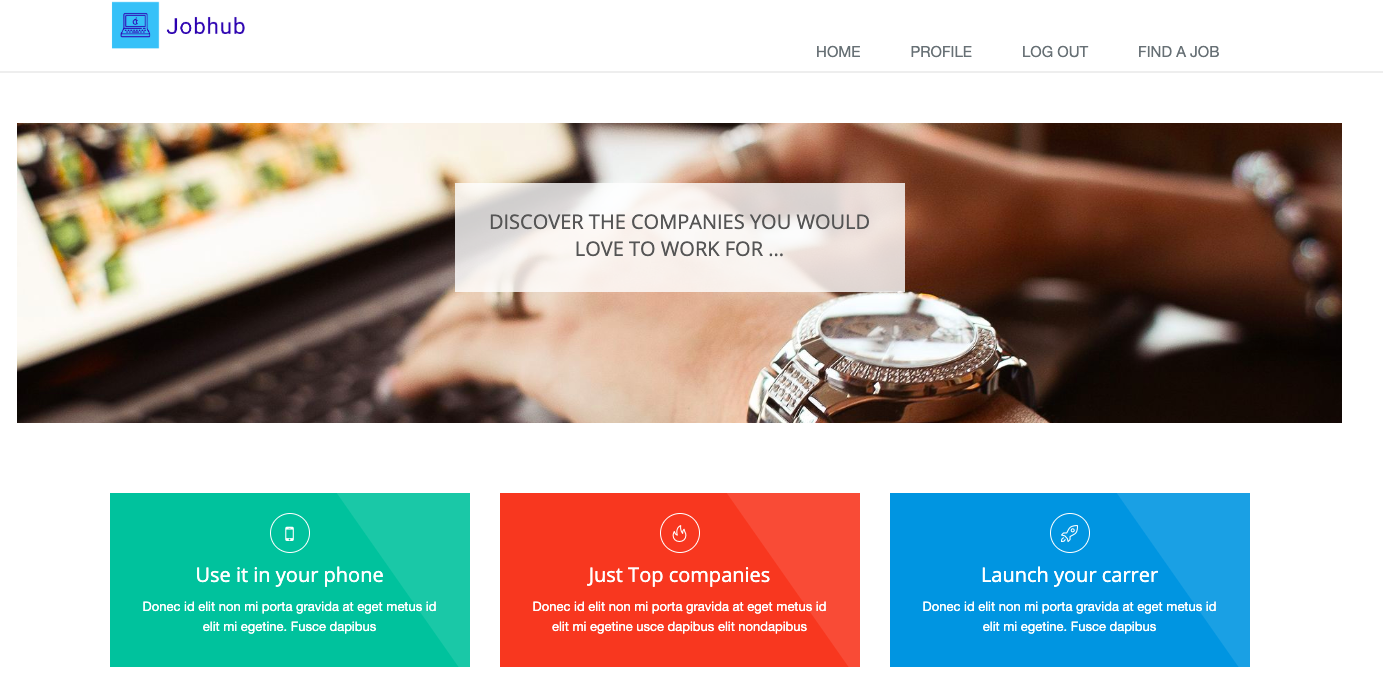
This is the landing page an as you can see the nav is at the top of the page
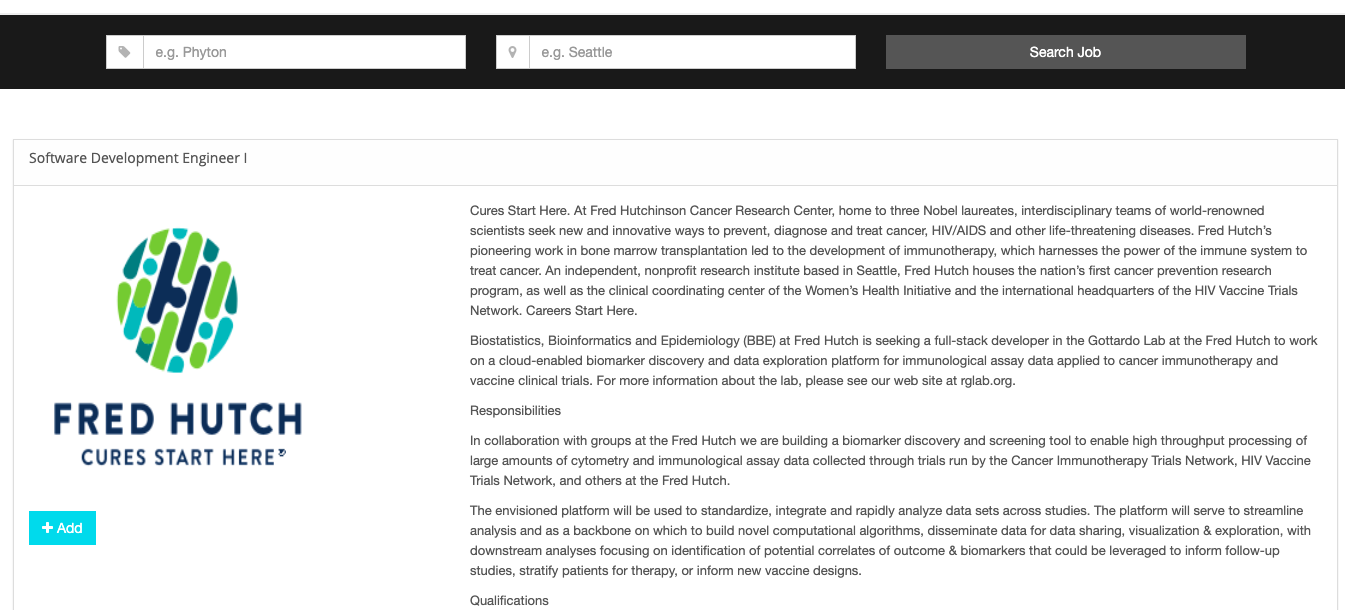
You can search for Job introducing a keyword and a location the pushing the search job button , then a list of jobs will appear and if you click in the name of the job you can see more information .
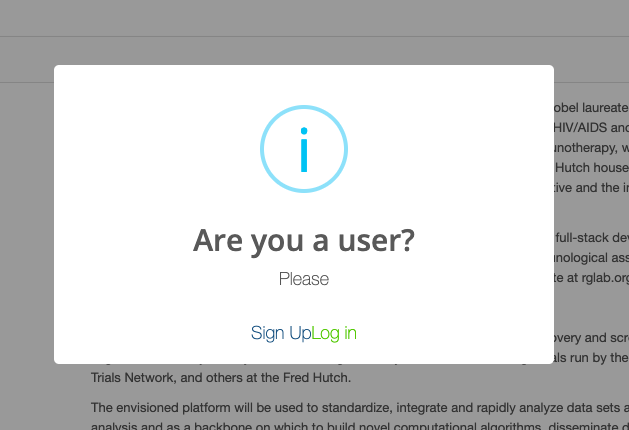
If you click the add button and you are not logged in the next window will appear and you should log in or sign up
If you are already logged in then the Job will appear in your job list
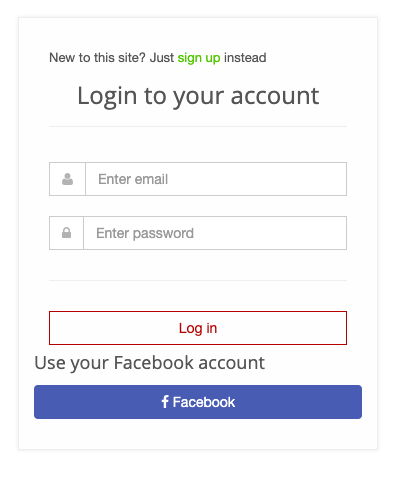
You can log in signing up or using your facebook account
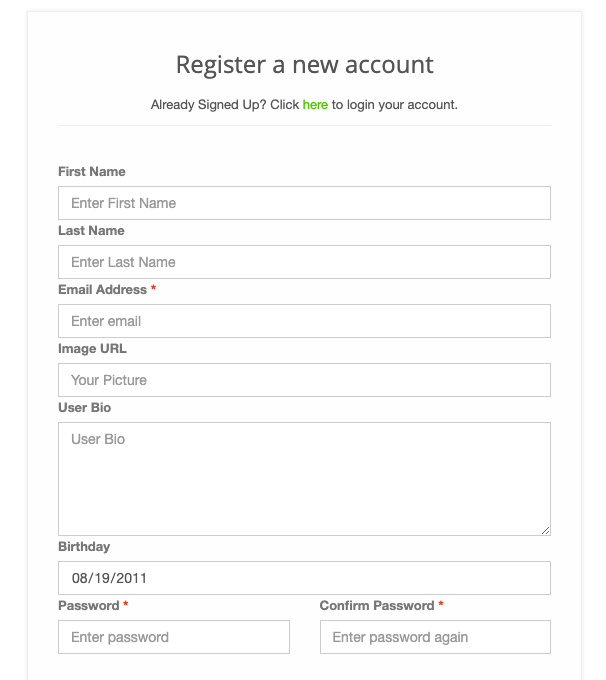
Fill the form with all the required information to sign up , If you are missing something an alarm with appear at the top of the page
Once you are logged in you will see something like the next image
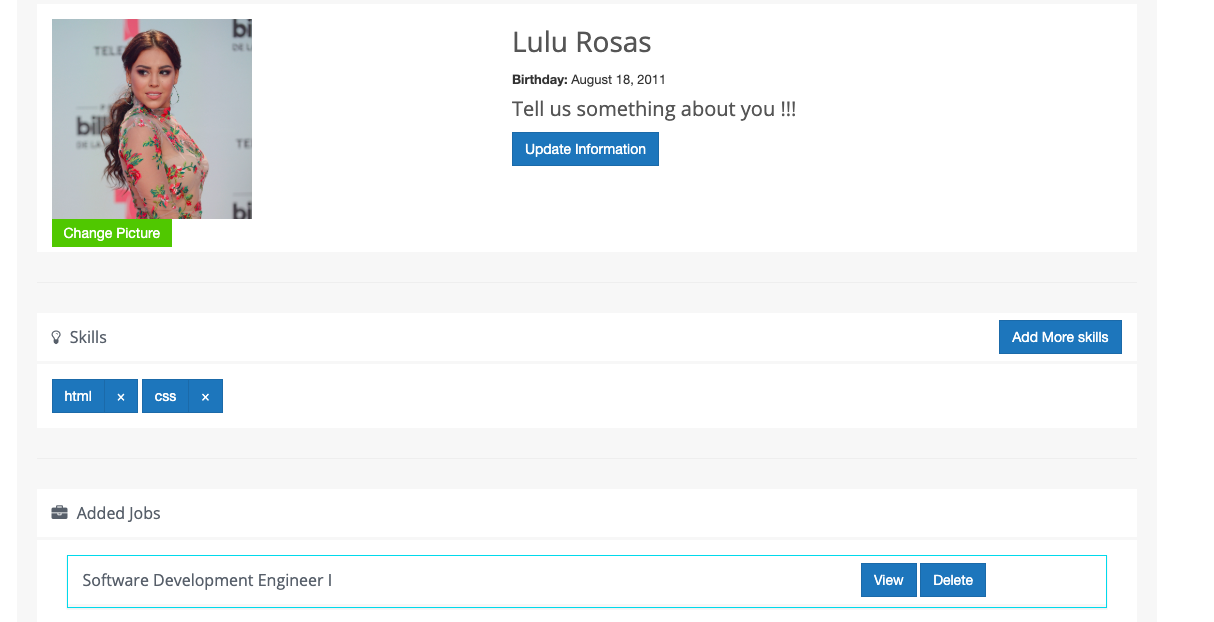
that contains the next information:
- At the top the generated information from your sign up or information from your facebook account
- The section skills you can add and delete your Skills
- Added Jobs all the jobs that you have save from your research you can delete them or click the view button and see all the information of this job
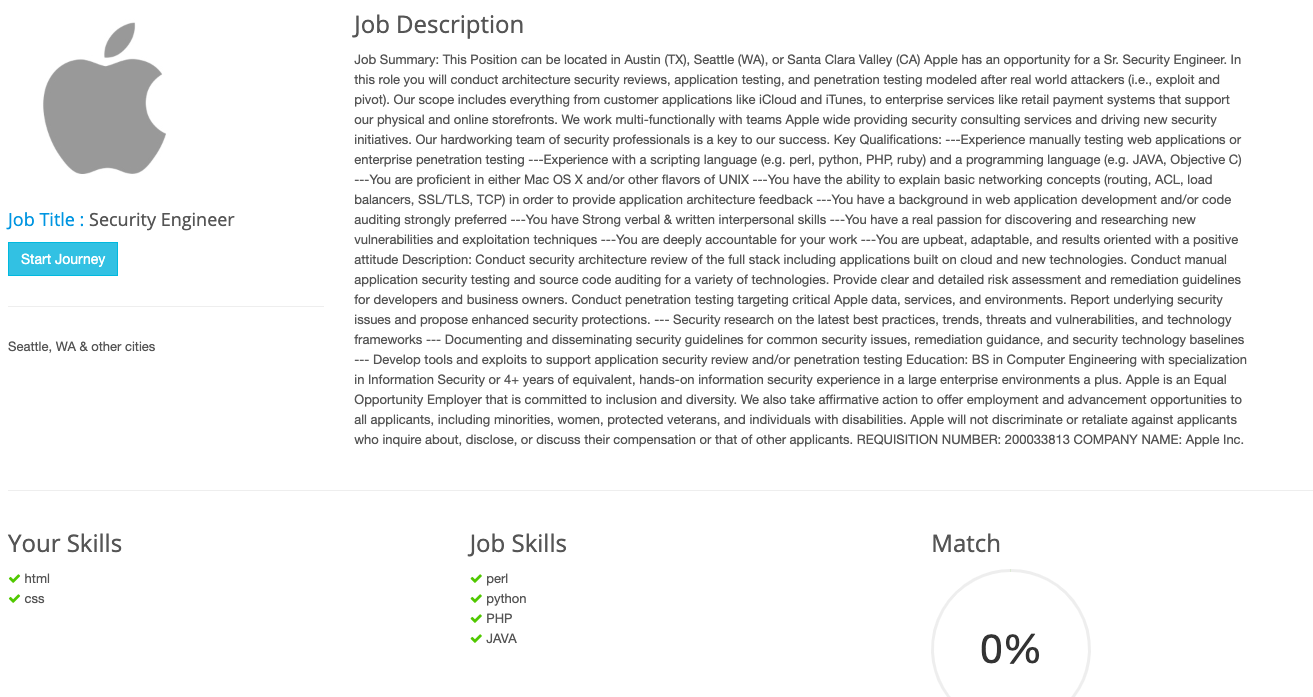
Every Job that you have save have their own page with the description and a comparison between your skills and some of the technical skills from the description of the job . You will se a button under the job title that will help to save information of the job if you decide to apply.