This monorepo provides production-ready templates for creating custom Auth0 Advanced Customizations for Universal Login (ACUL) screens. Each sample demonstrates different implementation approaches and SDK integrations while following Auth0's design language and user experience patterns.
What is ACUL? Advanced Customizations for Universal Login (ACUL) allows you to build custom, client-rendered versions of Universal Login screens, giving you complete control over your authentication experience. ACUL uses a client/server model where you have full control over the client-side interface while leveraging the security, extensibility, and flexibility of Universal Login's hosted authentication on the server side.
⚠️ Important Notes
- Enterprise Feature: Requires Enterprise Auth0 plan and verified custom domain
- SDK: Auth0 ACUL JS SDK (
@auth0/auth0-acul-js) - Screens: 3 authentication screens
- Login (universal login)
- Login-ID (identifier-first flow)
- Login-Password (password entry)
- Tech Stack: React 19, TypeScript, Vite, Tailwind CSS
- Development: Integrated context inspector for real-time debugging
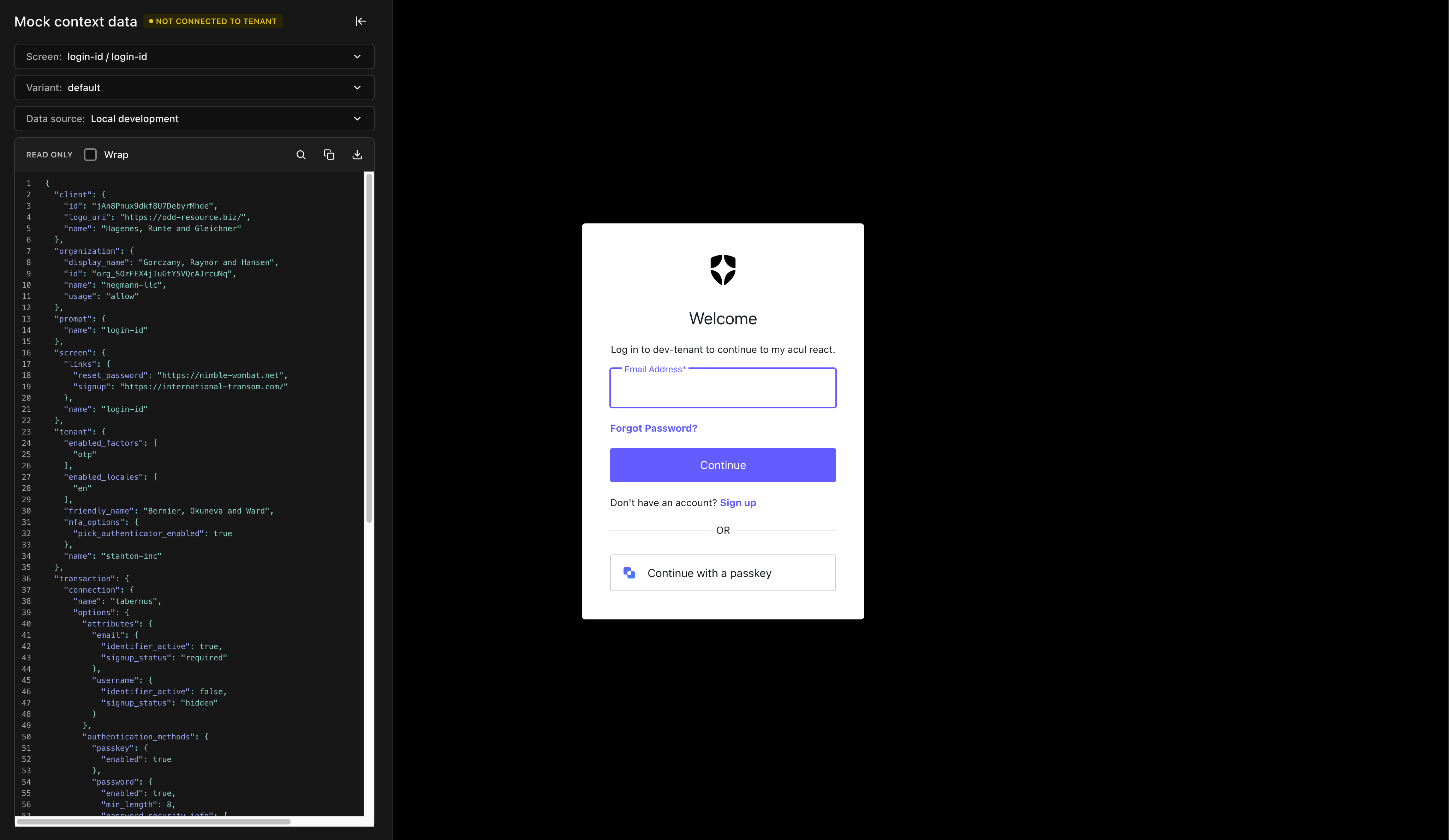
Login-id screen local development with ul-context-inspector |
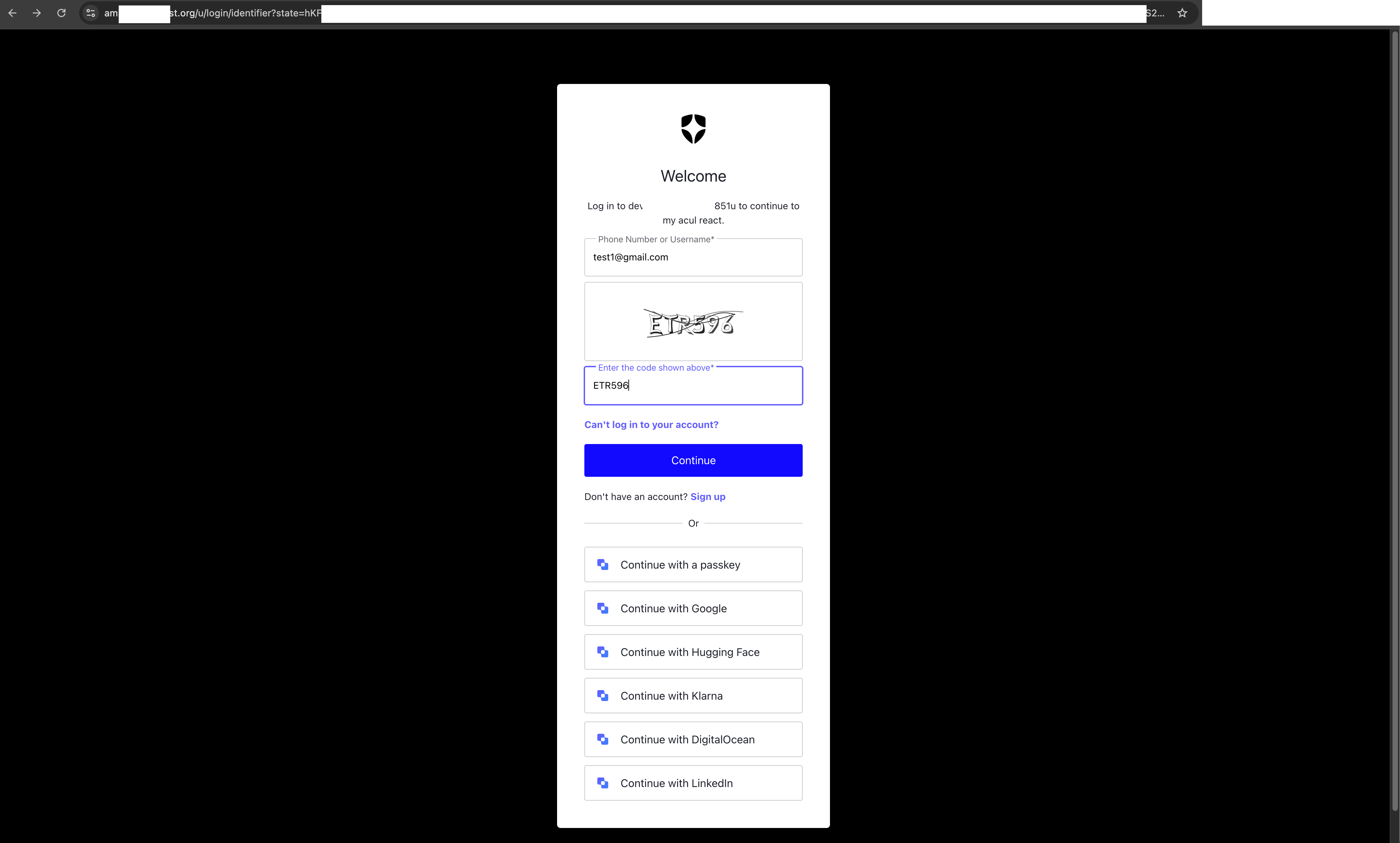
Login-id screen production deployment with ACUL |
- SDK: Auth0 ACUL React SDK (
@auth0/auth0-acul-react) - Screens: 31 authentication screens
- Login & Authentication (5): Login, Login-ID, Login-Password, Login-Passwordless-Email-Code, Login-Passwordless-SMS-OTP
- Signup & Registration (3): Signup, Signup-ID, Signup-Password
- Password Reset (4): Reset-Password-Request, Reset-Password-Email, Reset-Password, Reset-Password-Error
- Multi-Factor Authentication (15): MFA-Begin-Enroll-Options, MFA-Country-Codes, MFA-Email-Challenge, MFA-Email-List, MFA-Enroll-Result, MFA-Login-Options, MFA-Push-Challenge-Push, MFA-Push-Enrollment-QR, MFA-Push-List, MFA-Push-Welcome, MFA-SMS-Challenge, MFA-SMS-Enrollment, MFA-SMS-List, MFA-WebAuthn-Platform-Challenge, MFA-WebAuthn-Platform-Enrollment
- Passkeys (2): Passkey-Enrollment, Passkey-Enrollment-Local
- Identifier Management (2): Email-Identifier-Challenge, Phone-Identifier-Challenge
- Tech Stack: React 19, TypeScript, Vite, Tailwind CSS
- Development: Integrated context inspector for real-time debugging
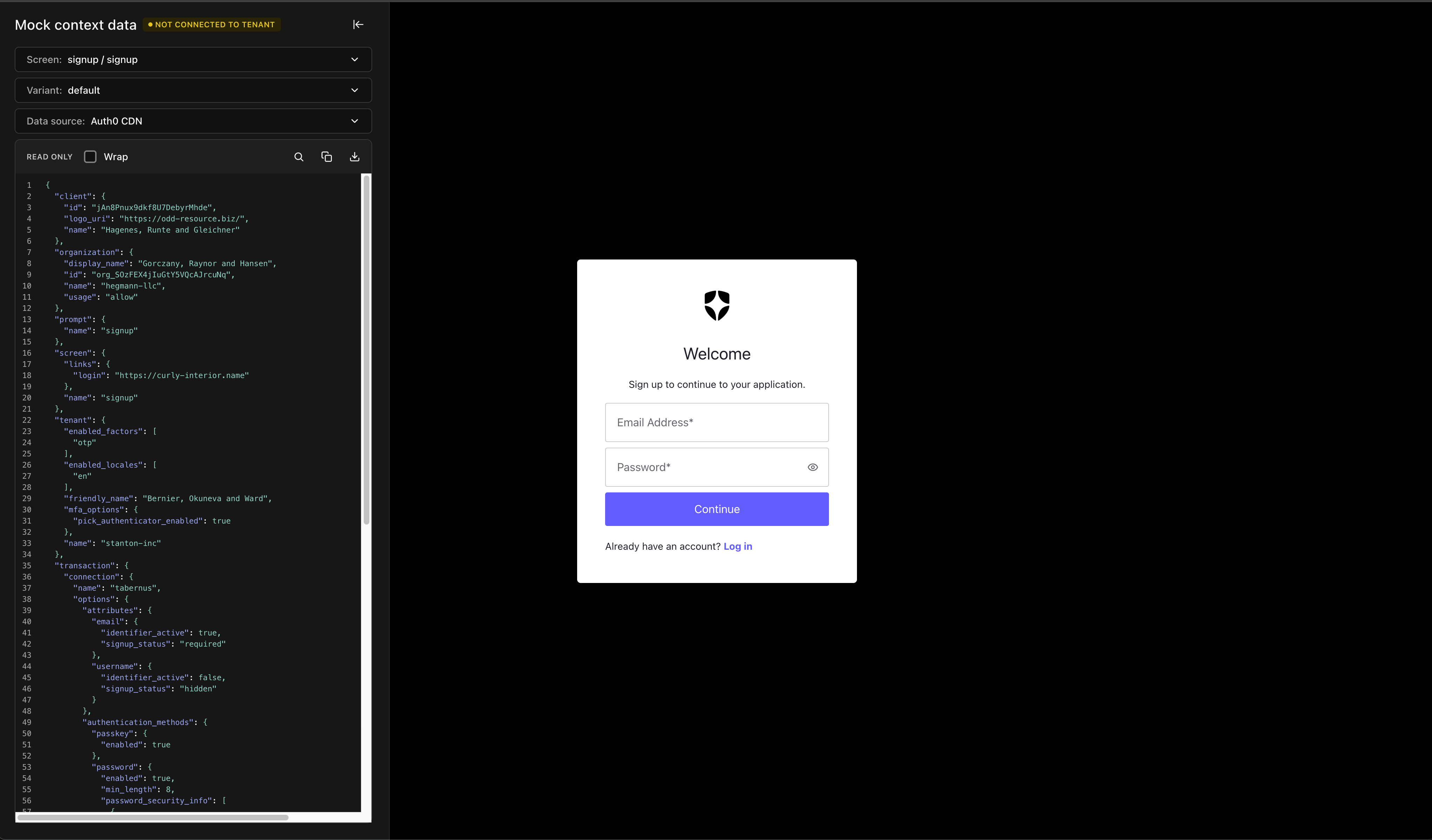
Signup screen local development with ul-context-inspector |
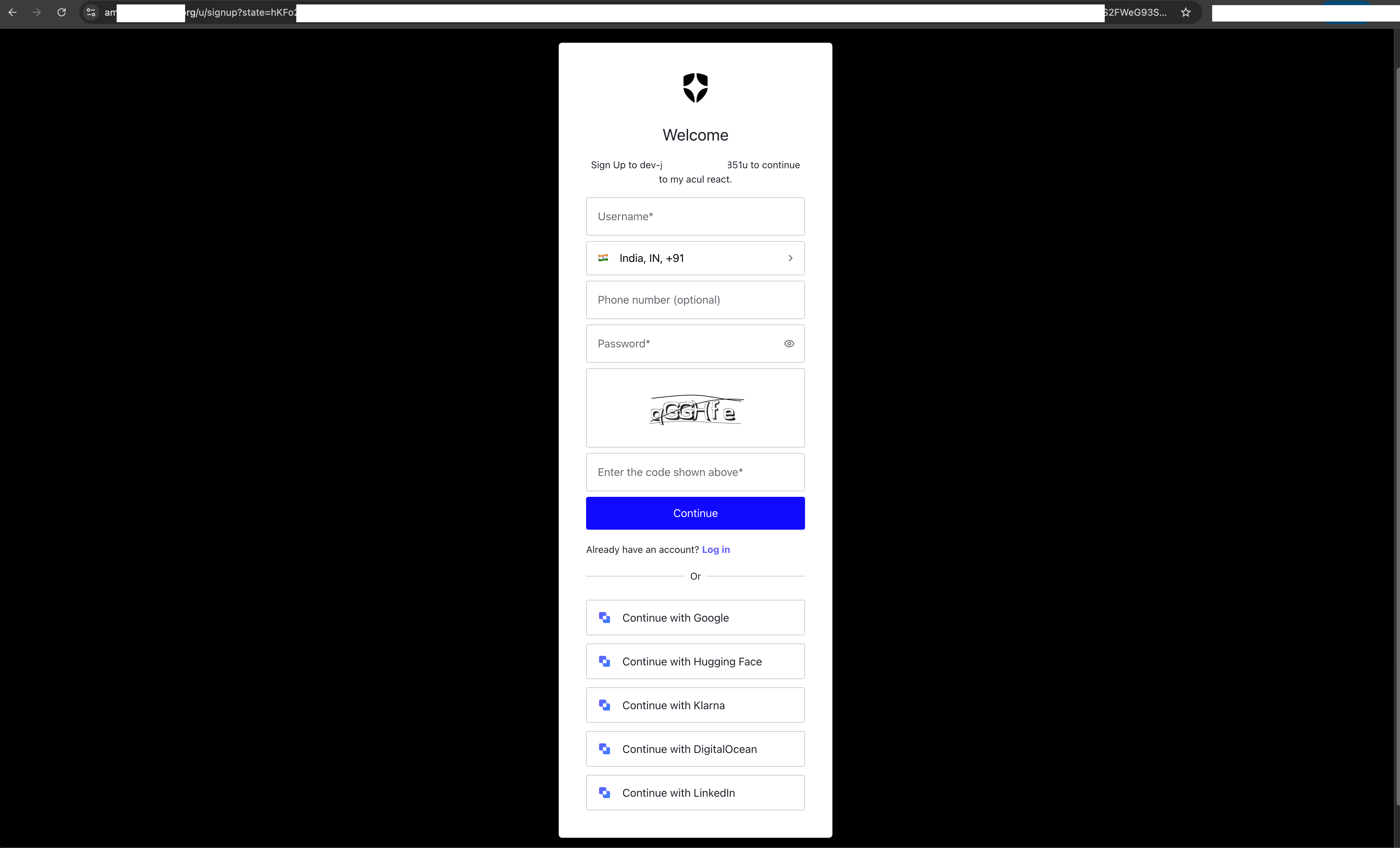
Signup screen production deployment with ACUL |
- Quick Start
- Development with ul-context-inspector
- Prerequisites
- Screens
- Build Structure
- Deployment
- Contributing
- Documentation
- Troubleshooting
# Navigate to the React-JS sample
cd react-js

# Install dependencies
npm install

# Start development server with context inspector
npm run dev  # Opens http://localhost:3000
The development server includes an integrated context inspector that lets you visualize and edit the Auth0 Universal Login context in real-time, switch between screens, and test different scenarios.
ul-context-inspector is a developer panel that simulates Auth0's Universal Login context using local mock data, enabling development without an Enterprise Auth0 tenant.
How it works:
- Development: Loads mock JSON from
public/screens/→ No Auth0 connection needed - Production: Uses real Auth0 context from
window.universal_login_context
-
Add screen mocks in
public/screens/{prompt}/{screen}/:default.json- Default statewith-errors.json- Error state
-
Register in
public/manifest.json:
{
  "versions": ["v2", "v0"],
  "screens": [
    {
      "login": {
        "login": {
          "path": "/screens/login/login",
          "variants": ["default", "with-errors"]
        }
      }
    }
  ]
}- Run
npm run dev- screens appear in the inspector automatically!
For Local Development:
- Node.js version 22+ (
node -vto check)
For Production Use:
- Auth0 tenant with verified custom domain
- Enterprise Auth0 plan (for ACUL access)
Open Source Contributors: You can explore and contribute to this codebase without needing an Auth0 Enterprise plan using the development context inspector.
Need to install Node.js?
We recommend using NVM (Node Version Manager):
- macOS/Linux:
curl -o- https://raw.githubusercontent.com/nvm-sh/nvm/v0.40.3/install.sh | bash - Windows: Install nvm-windows
nvm install 22
nvm use 22Once you're ready to test with actual Auth0 authentication:
# Navigate to the React-JS sample
cd react-js

# Build and serve assets locally
npm run build
npx serve dist -p 8080 --cors

# Install Auth0 CLI and configure (Enterprise tenants only)
npm install -g @auth0/auth0-cli
auth0 login

# Configure ACUL with settings file
auth0 ul customize --rendering-mode advanced --prompt login-id --screen login-id --settings-file ./settings.json
About settings.json: This file contains the same ACUL payload configuration as shown in the Build Structure section. It defines how Auth0 should load your custom screen assets, including CSS files, JavaScript bundles, and context configuration. The settings.json file structure is identical to the payload you'd use when configuring ACUL programmatically.
⚠️ Use development/testing tenants only
The main screen implementations are located in:
- React-JS Sample:
react-js/src/screens/- 3 screens - React Sample:
react/src/screens/- 31 screens
Each screen is designed to integrate with the Auth0 ACUL SDK.
About manifest.json: The manifest.json file at the project root defines the available templates and screens for the auth0-cli tool, enabling developers to scaffold projects with auth0 acul init by specifying which files and directories to include for each framework and screen combination.
Vite compiles each screen as a separate entry point for optimized loading:
# Navigate to the React or React-JS sample
cd react  # or cd react-js

# Build optimized assets
npm run build

# Serve locally for testing
npx serve dist -p 8080 --cors
Output Structure:
dist/
├── index.html                           # Main entry point
└── assets/
    ├── main.[hash].js                   # Main application bundle
    ├── shared/
    │   ├── style.[hash].css             # Global styles (Tailwind + Auth0 theme)
    │   ├── react-vendor.[hash].js       # React + ReactDOM (~324 kB)
    │   ├── vendor.[hash].js             # Third-party dependencies (~196 kB)
    │   └── common.[hash].js             # Shared app code (~87 kB)
    └── [screen-name]/
        └── index.[hash].js              # Screen-specific code (0.9-6 kB)
Bundle Strategy:
- react-vendor: Contains React and ReactDOM for better caching across deploys
- vendor: Contains all other third-party packages (captcha providers, utilities)
- common: Shared application code (components, hooks, utilities)
- Screen bundles: Only screen-specific logic, optimized for fast loading
Screen-specific bundles can be deployed independently for incremental rollouts.
ACUL Payload Configuration Example (settings.json)
When configuring Auth0 ACUL for a specific screen, your settings.json file will reference the built assets:
{
  "rendering_mode": "advanced",
  "context_configuration": [
    "branding.settings",
    "branding.themes.default",
    "screen.texts"
  ],
  "default_head_tags_disabled": false,
  "head_tags": [
    {
      "tag": "base",
      "attributes": {
        "href": "https://your-cdn-domain.com/"
      }
    },
    {
      "tag": "meta",
      "attributes": {
        "name": "viewport",
        "content": "width=device-width, initial-scale=1"
      }
    },
    {
      "tag": "link",
      "attributes": {
        "rel": "stylesheet",
        "href": "https://your-cdn-domain.com/assets/shared/style.[hash].css"
      }
    },
    {
      "tag": "script",
      "attributes": {
        "src": "https://your-cdn-domain.com/assets/main.[hash].js",
        "type": "module"
      }
    },
    {
      "tag": "script",
      "attributes": {
        "src": "https://your-cdn-domain.com/assets/shared/react-vendor.[hash].js",
        "type": "module"
      }
    },
    {
      "tag": "script",
      "attributes": {
        "src": "https://your-cdn-domain.com/assets/shared/vendor.[hash].js",
        "type": "module"
      }
    },
    {
      "tag": "script",
      "attributes": {
        "src": "https://your-cdn-domain.com/assets/shared/common.[hash].js",
        "type": "module"
      }
    },
    {
      "tag": "script",
      "attributes": {
        "src": "https://your-cdn-domain.com/assets/login-id/index.[hash].js",
        "type": "module"
      }
    }
  ]
}
Reference these built assets in your Auth0 ACUL configuration.
This repository includes GitHub Actions workflows for automated deployment. See DEPLOYMENT.md for complete setup instructions.
Enabling Screens for Deployment
Control which screens are deployed by modifying react/.github/config/deploy_config.yml:
default_screen_deployment_status:
  "login-id": true # Enable for deployment
"signup": false # Disable for deploymentWe welcome contributions! Here's how you can help:
Getting Started:
- Fork the repository
- Create a feature branch:
git checkout -b feature/your-feature-name - Make your changes using the development server:
npm run dev - Test thoroughly:
npm test - Submit a pull request
What to Contribute:
- Bug fixes and improvements
- Documentation updates
- Test coverage improvements
- Component enhancements
Development Guidelines:
- Follow the existing code patterns in
react-js/src/screens/orreact/src/screens/ - Use TypeScript for type safety
- Follow the Auth0 design system principles
- Include tests for new functionality
- Use
npm run devto start the development server with context inspector
- Auth0 ACUL Documentation - Official ACUL guide
Screen not loading or showing blank page
Symptoms: Browser shows blank page or loading spinner Solutions:
- Check browser console for JavaScript errors
- Ensure all dependencies installed:
npm install - Try clearing browser cache and restarting dev server:
npm run dev
- Bug Reports: Create an issue with reproduction steps
- Community Discussion: Auth0 Community Forum
- Documentation: Auth0 ACUL Docs
- Feature Requests: Open a discussion