
Enterprise-grade self-hosted AI assistant
Feishu · WeChat iLink (WxClaw) · Built-in Web console · LiteLLM multi-model



OpenFox runs on your own machine: it brings LLM chat, scheduled jobs, Feishu bot, WeChat iLink (WxClaw) bot, browser tools, MCP, and local skills together in one HTTP service. It ships with an embedded Web UI at /web, and you can chat from Feishu or WeChat when WxClaw is enabled.
| Path | Description |
|---|---|
~/.openfox/config.json |
Main JSON config (validated at load time); see Configuration below |
~/.openfox/storage.db |
SQLite storage for sessions and scheduling |
~/.openfox/skills |
Local Skills root (SKILLS_PATH in openfox/utils/const.py); on first run, if missing, copied from packaged openfox/skills (see openfox/core/skills.py) |
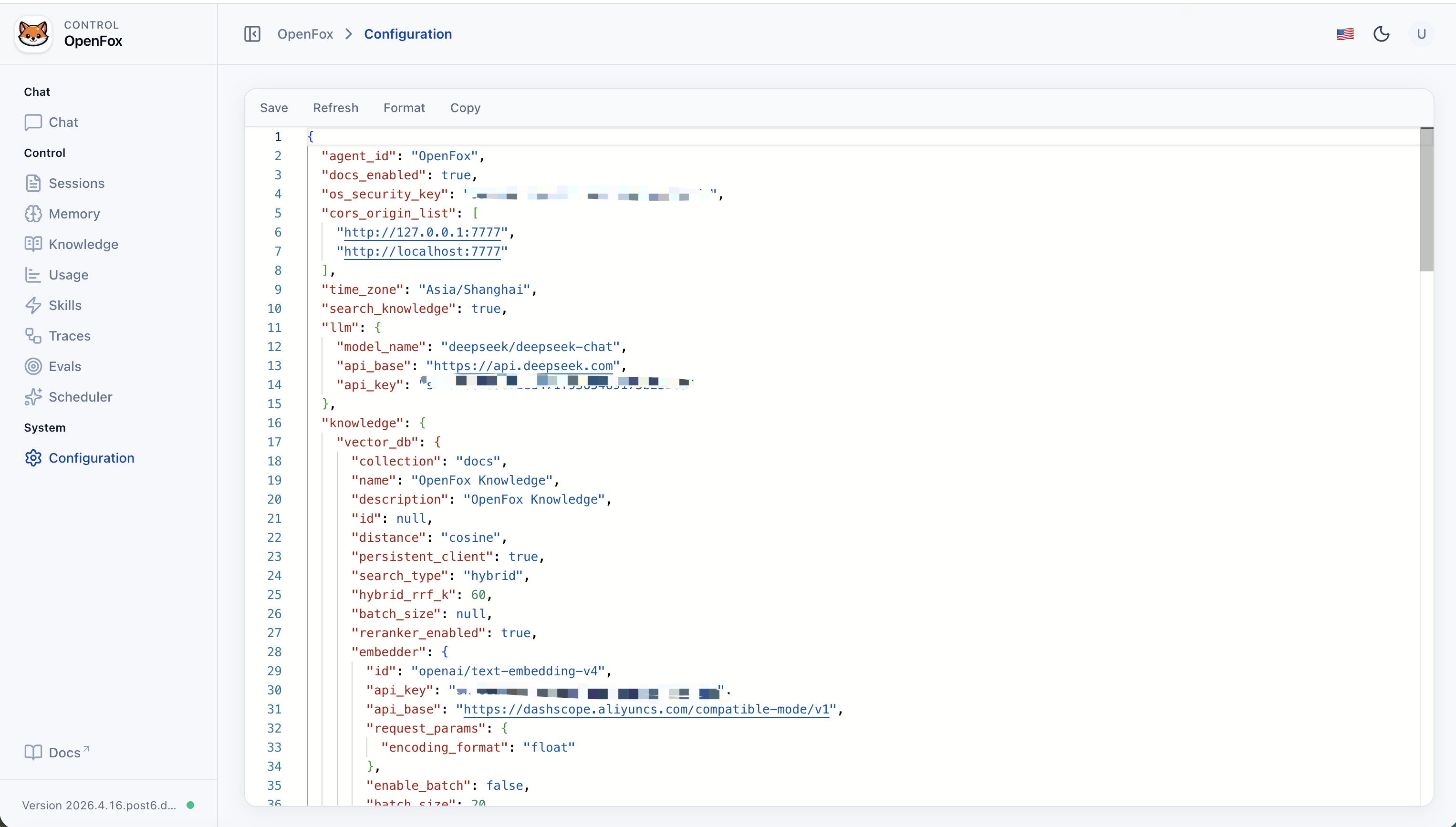
OpenFox reads a single JSON file at ~/.openfox/config.json. Fields map to the Config model in openfox/schemas/config.py (unknown keys are ignored where applicable; invalid values fail at startup). Do not commit real API keys or tokens—treat this file like a secret.
| Key | Purpose |
|---|---|
agent_id |
Agent identifier shown in AgentOS / Web UI (default OpenFox). |
docs_enabled |
Whether FastAPI OpenAPI docs are exposed. |
os_security_key |
Shared secret for Web UI and protected HTTP APIs (Bearer token). |
cors_origin_list |
Allowed browser origins (e.g. embedded /web). Add your host/port if not using default 7777. |
time_zone |
Default timezone string (e.g. Asia/Shanghai). |
search_knowledge |
When true, enables RAG (Chroma under ~/.openfox/chromadb; path is not configured here). |
llm |
Chat model: model_name, api_base, api_key (LiteLLM-style id). |
knowledge |
RAG details when search_knowledge is true: vector_db (collection, search_type, embedder, reranker, …), max_results, isolate_vector_search. |
channels |
Integrations: channels.feishu (activate, app_id, app_secret, …) and channels.wxclaw (activate, optional include_tools / exclude_tools for WxClawTools). WxClaw uses QR login; tokens persist under ~/.openfox/channels/wxclaw/ (see WxClawTools / OPENFOX_HOME_PATH). |
mcps |
List of MCP server entries (command/args/env or url/headers). |
tools |
Per-toolkit switches and options (mcp, scheduler, shell, websearch, arxiv, …); each may include activate, include_tools, exclude_tools, and toolkit-specific fields. |
Valid on-disk JSON: ~/.openfox/config.json must be standard JSON (double quotes, no // comments). The jsonc snippet below is documentation only—remove comments before saving, or paste the object into the Web Config editor.
The key order, nesting, and non-secret values match a full on-disk layout; secrets are placeholders. On disk the file must be plain JSON (no // comments).
If you use the stdio MCP entries above, the host running OpenFox needs uv / uvx and Node.js (with npx) installed, as applicable.
You can edit the live file in the Web Config page or via the expand/config HTTP API when authenticated. After manual edits on disk, restart python -m openfox if the process is already running.
| Capability | Description |
|---|---|
| Web console | Chat, session list, usage metrics, knowledge (/knowledge), memory (/memory), evaluations (/evals), run tracing (/traces), skill upload/management, Cron scheduling, JSON config editor (login required; use os_security_key from config) |
| Knowledge base | RAG over your documents when search_knowledge is enabled: Chroma vector store under ~/.openfox/chromadb, embedder/reranker via LiteLLM; manage content in the Web UI (/knowledge). |
| Memory | Agent memory persisted with sessions (e.g. update_memory_on_run); browse and manage via the Web UI (/memory, backed by ~/.openfox/storage.db). |
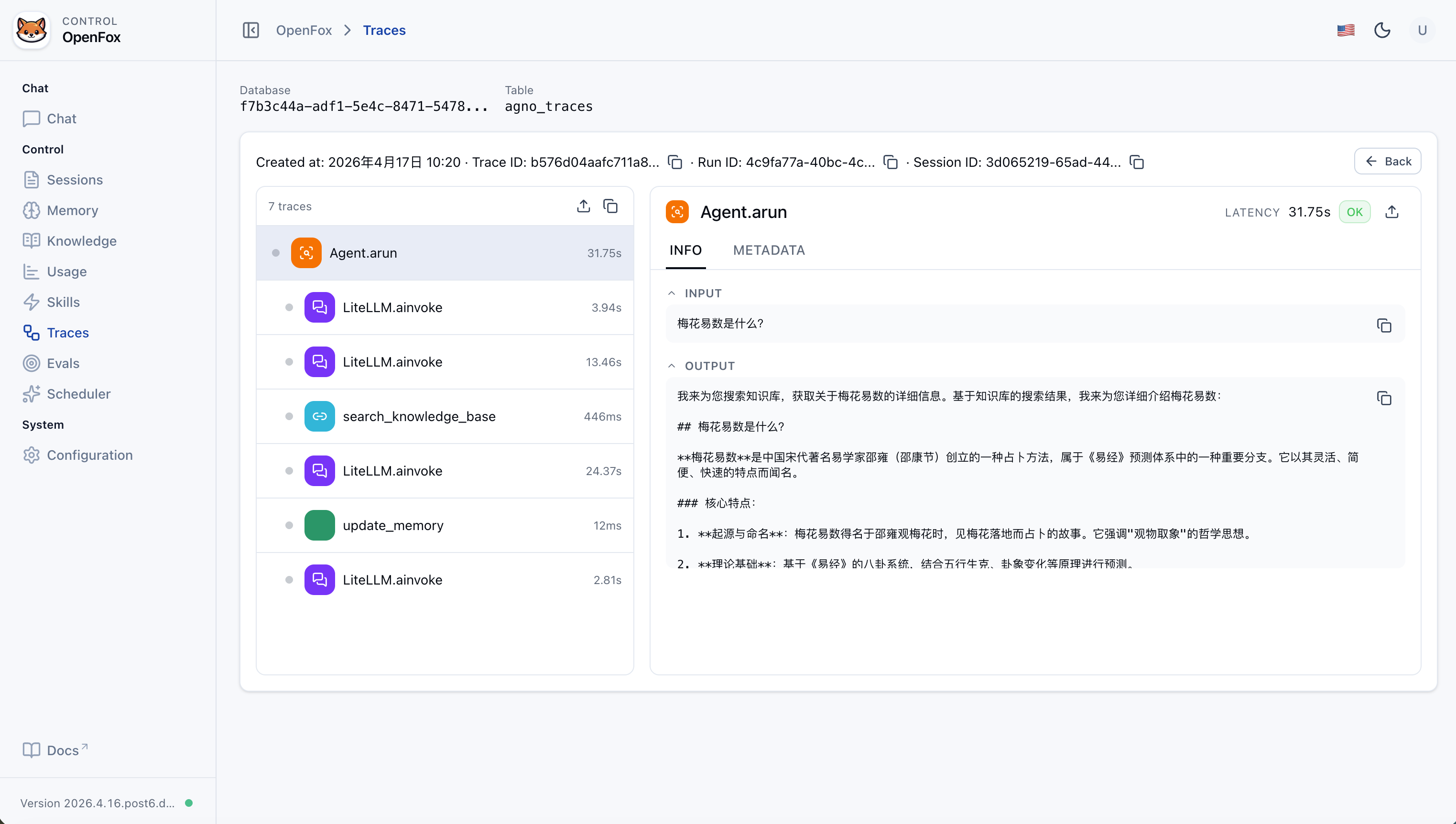
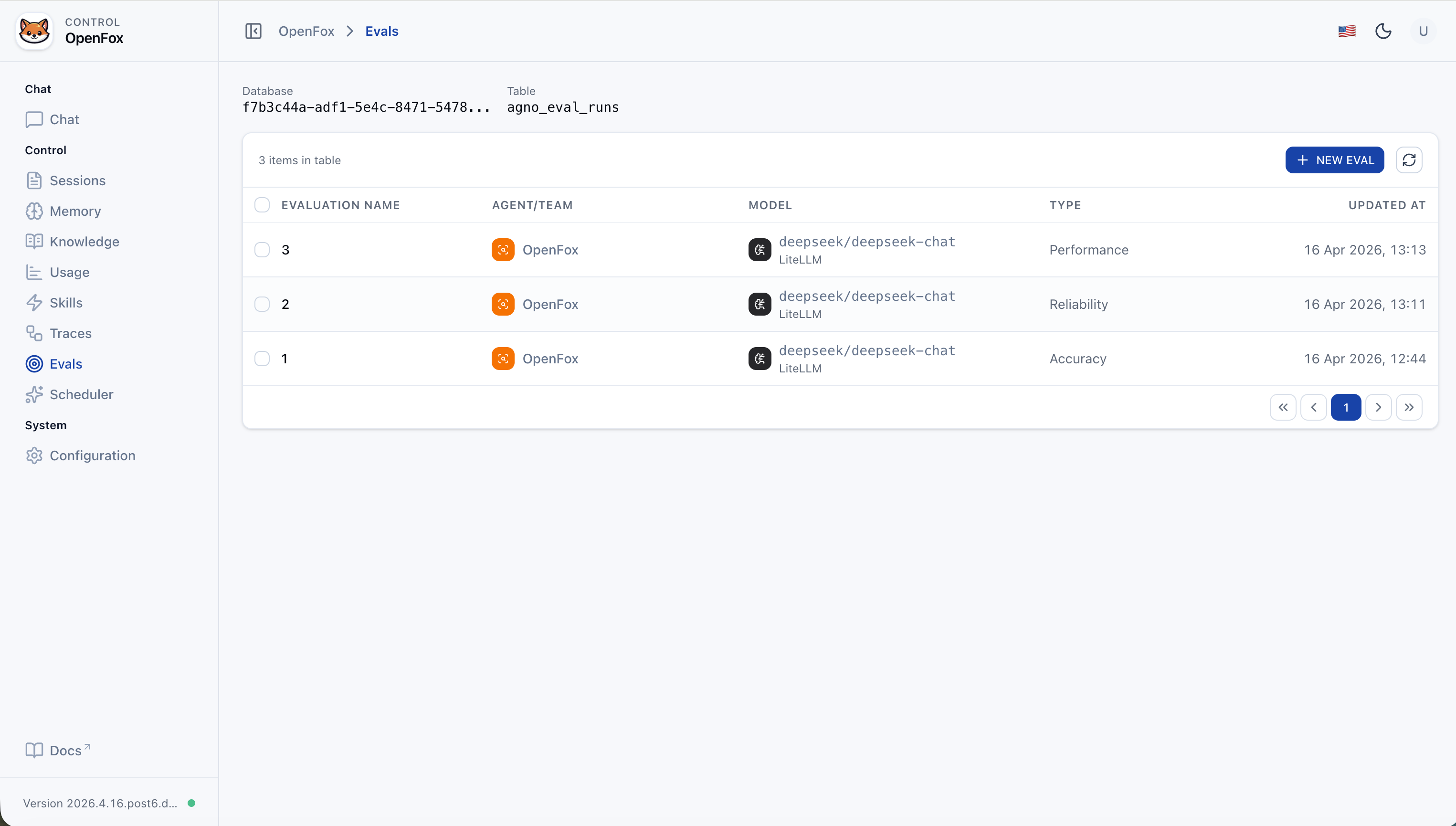
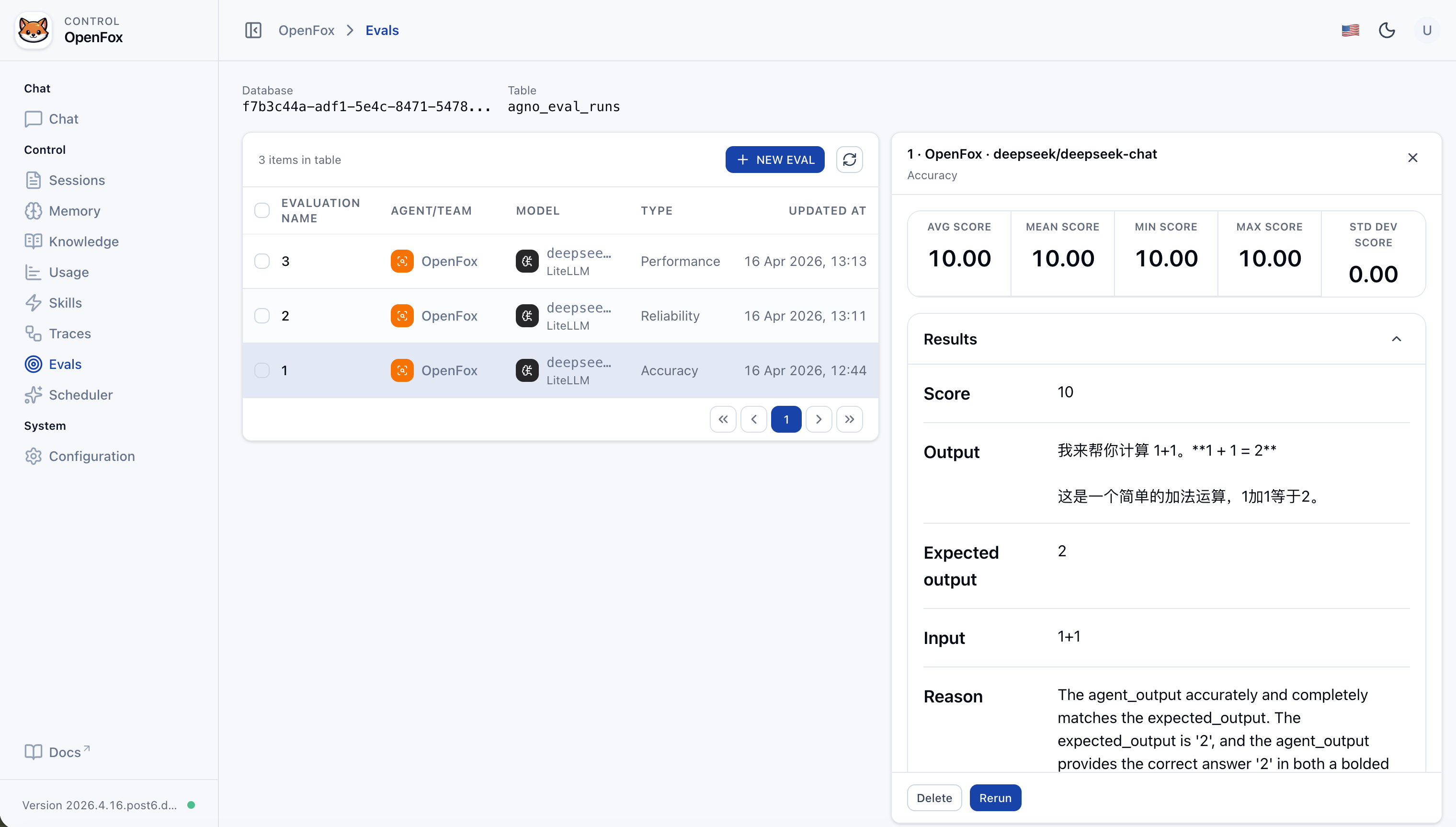
| Evaluations | Built-in evaluation workflow in the Web UI: measure performance, reliability, and accuracy of your agent or team against datasets and criteria. |
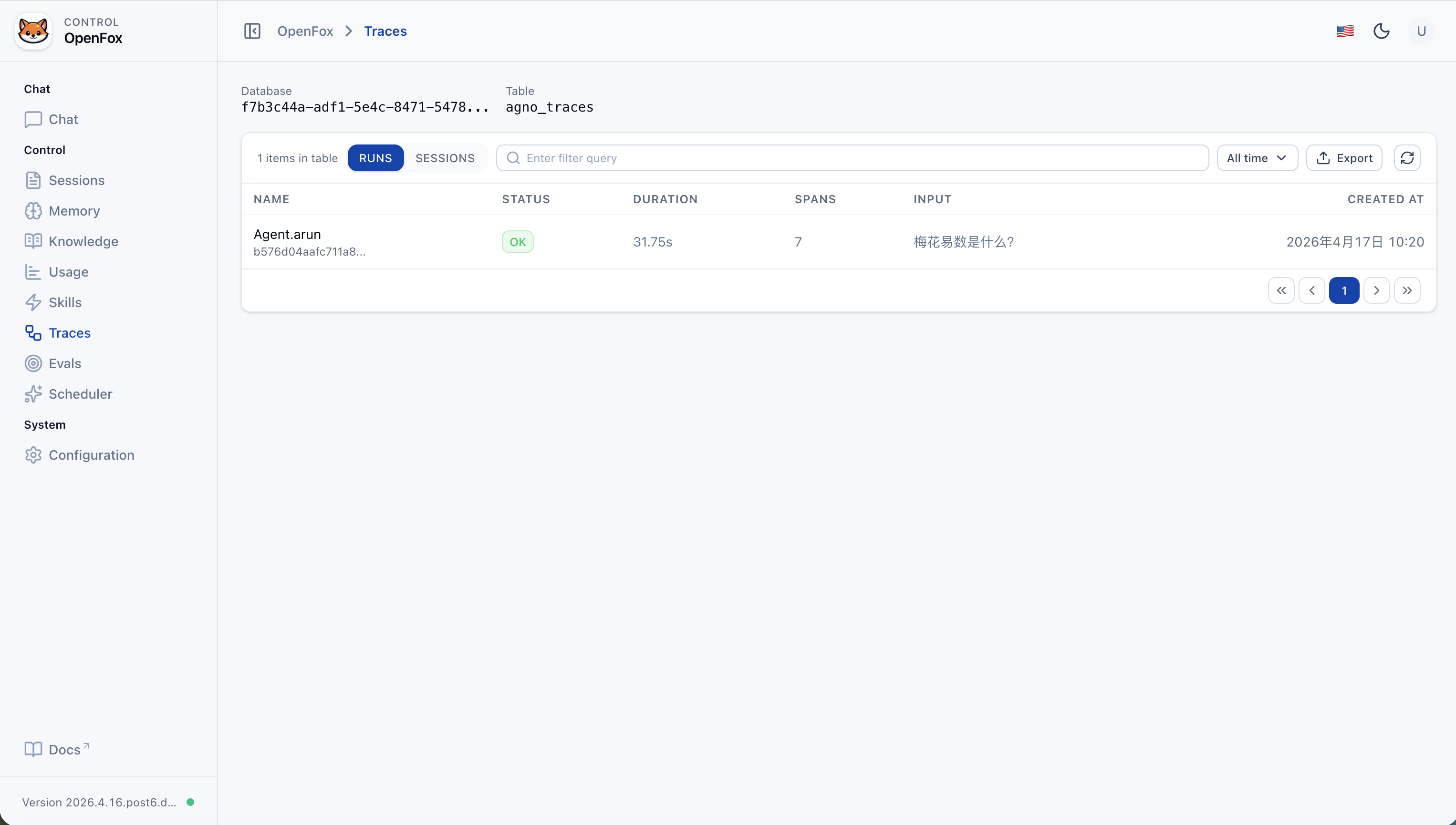
| Run tracing | Trace each agent run end-to-end: inspect spans, sessions, and execution flow stored for observability (Web UI /traces). |
| Feishu | Event and message intake; DM and group chat (mention the bot) |
| WxClaw (WeChat iLink) | Long-poll WeChat messages; first-time QR login in the terminal; bot token and sync buffer under ~/.openfox/channels/wxclaw/. Enable with channels.wxclaw.activate: true. |
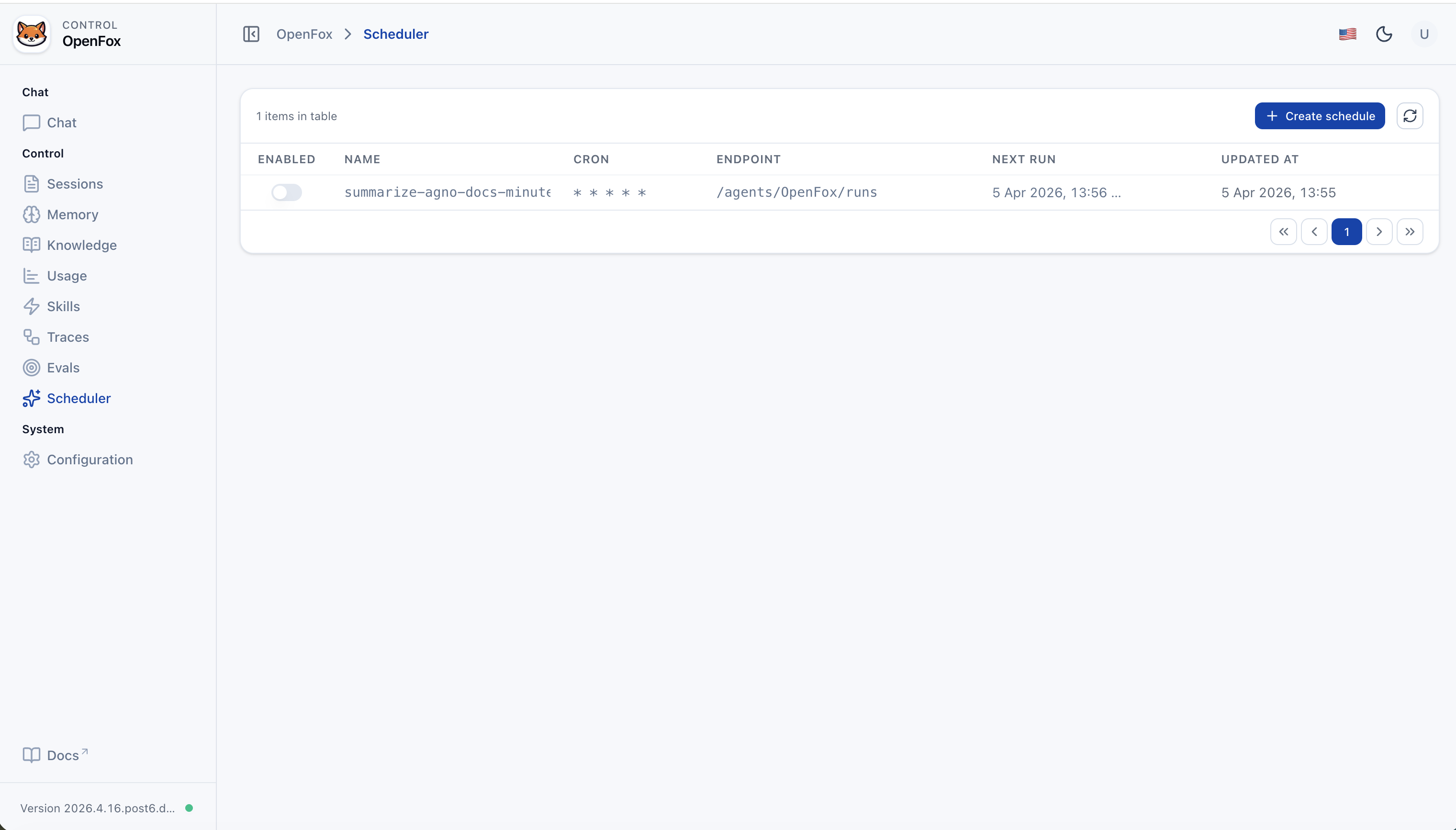
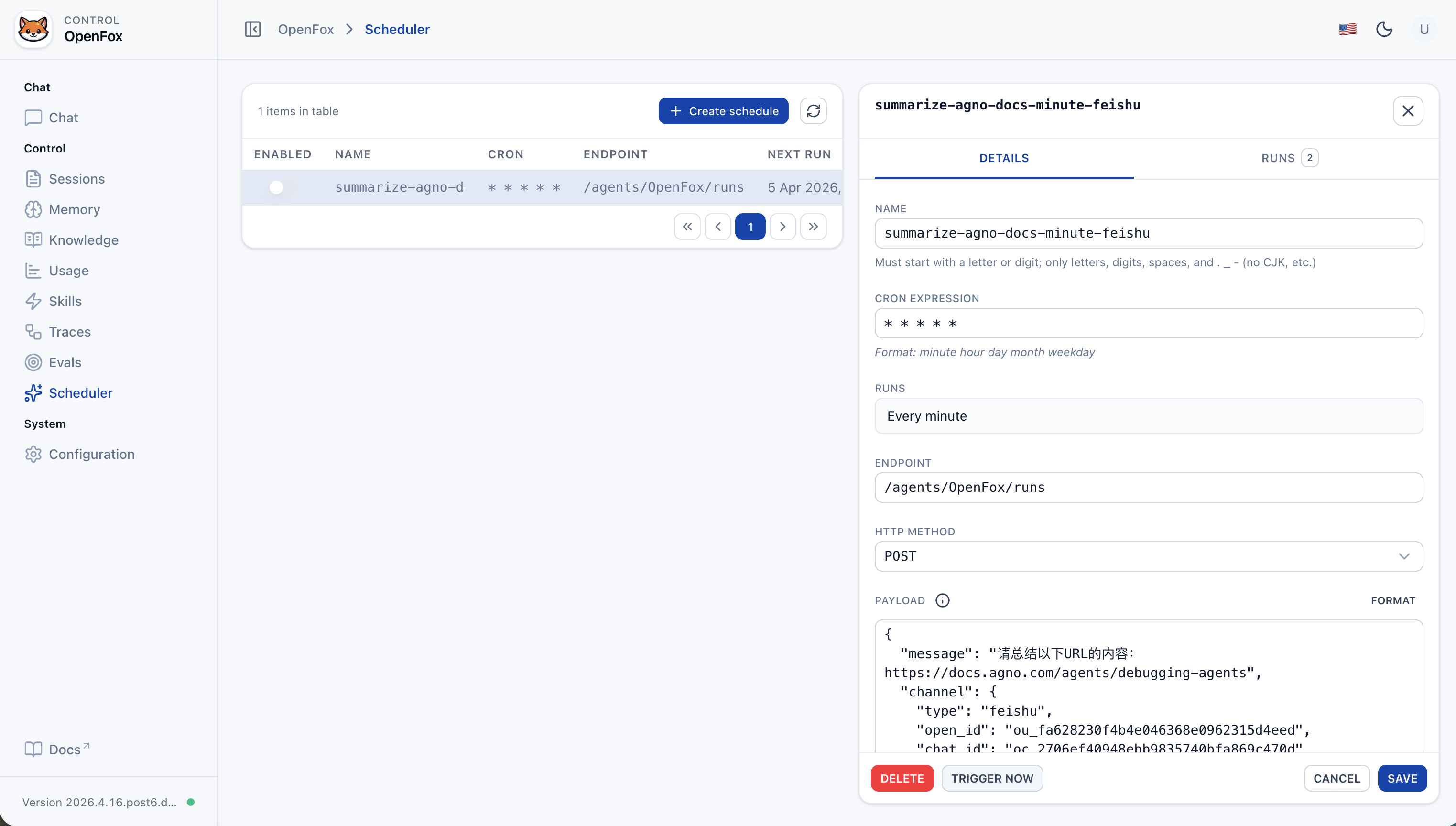
| Scheduled jobs | Built-in scheduler; enable with tools.scheduler (SchedulerConfig). Agent toolkit SchedulerTools creates recurring tasks (cron → POST Agent run endpoint) |
| Tools | See “Built-in Agent tools” below; you can also attach MCP via config.mcps. JSON config editing in the Web console uses ConfigTools (not an Agent chat tool). |
| Skills | SKILL.md under SKILLS_PATH (~/.openfox/skills, LocalSkills); upload skill packs from the Web UI |
| Models | LiteLLM for OpenAI-compatible APIs (see “Models” below) |
| Tool class | What it does |
|---|---|
| ShellTools | Run shell commands on the host where OpenFox runs (Agno) |
| SchedulerTools | Registered when tools.scheduler.activate is true. Create / list / get / delete / disable jobs; cron expressions invoke this Agent's run endpoint |
| FeiShuTools | Feishu outbound messaging toolkit: send_text_message, send_image_message, send_file_message, send_audio_message, send_media_message |
| WxClawTools | WeChat iLink toolkit: send_text, upload_file (local file → CDN upload → send image/video/file). Use only for @im.wechat / channel.type=wxclaw; do not pass WeChat ids to Feishu tools. |
| MCPConfigTools | Add / remove / update MCP-related config in chat to extend tools dynamically |
| WebSearchTools | Search the web |
| ArxivTools | Search arXiv papers and metadata |
| HackerNewsTools | Read Hacker News stories and discussions |
| PubmedTools | Search PubMed biomedical literature |
| WikipediaTools | Look up Wikipedia articles and summaries |
| Crawl4aiTools | Fetch and parse page content with Crawl4AI (suited to structured extraction) |
| CalculatorTools | Evaluate math expressions |
| DockerTools | Manage local Docker: containers, images, volumes, networks (Docker must be available) |
| YouTubeTools | YouTube: metadata, captions, timestamps, etc. (requires youtube_transcript_api) |
| WebBrowserTools | Open a URL in the system default browser on this machine (new tab or new window) |
Environment: Python 3.12+. Install from PyPI:
pip install openfoxFirst run: If ~/.openfox/config.json is missing, an interactive setup runs (API docs toggle, auth, os_security_key, timezone, LLM, Feishu, etc.), then the server starts. Set channels.wxclaw.activate to true (and optionally channels.feishu.activate to false if you only use WeChat) to enable WxClaw; restart after editing config.
python -m openfox
# Binds to 0.0.0.0:7777 by defaultFor custom --host / --port, run python -m openfox --help for CLI subcommands and flags.
- Web UI: Open
http://127.0.0.1:7777/web(adjust port as needed). - Auth token: The
os_security_keyvalue from config; enter it on the Web login page. - Non-7777 ports: Default CORS includes
/webon:7777. If you change the port, add e.g.http://127.0.0.1:<port>andhttp://localhost:<port>tocors_origin_list, or the frontend may fail API calls.
To re-run setup only, delete ~/.openfox/config.json and run python -m openfox again. Existing config skips the wizard and starts directly.
Request path prefix is /feishu.
- Event / webhook example:
http://<your-host-or-domain>/feishu/event(match whatever Feishu Open Platform expects and your routes).
Steps in brief:
- Create an app on Feishu Open Platform and obtain App ID and App Secret.
- Configure event subscription and message permissions; set the request URL to your service (public URL or tunnel); fill Encrypt Key and Verification Token.
- Write these into
channels.feishuin~/.openfox/config.json, then restartpython -m openfox. - In Feishu DM or group chat, use the app (e.g. @ bot) to talk to OpenFox.
FeiShuTools methods (chat tools):
send_text_message: send plain text or markdown card text.send_image_message: send byimage_keyor upload from URL/path.send_file_message: send byfile_keyor upload from URL/path.send_audio_message: upload/send OPUS audio.send_media_message: upload/send MP4 video, optional thumbnail.
WxClaw is OpenFox’s WeChat channel: long-poll inbound messages and reply with text or uploaded image/video/file.
- Open WeChat on the phone → Me → Settings → Plugins.
- Install WeChat ClawBot (微信 ClawBot).
- On the machine running OpenFox, set
channels.wxclaw.activatetotruein~/.openfox/config.json, then startpython -m openfox(restart after config edits). - When no bot token is saved yet, a QR code is printed in the terminal — scan it with WeChat to complete login. Tokens and the sync cursor are stored under
~/.openfox/channels/wxclaw/(seeTOKEN_FILE/BUF_FILEinopenfox/tools/wxclaw.py).
OpenFox uses LiteLLM. For any provider in LiteLLM’s supported list that exposes an OpenAI-style Chat Completions API, you usually only need llm.model_name, llm.api_base, and llm.api_key.
Example model strings (see official docs for the full list):
openai/gpt-4o-mini
deepseek/deepseek-chat
dashscope/qwen-max
ollama/llama3.1
...
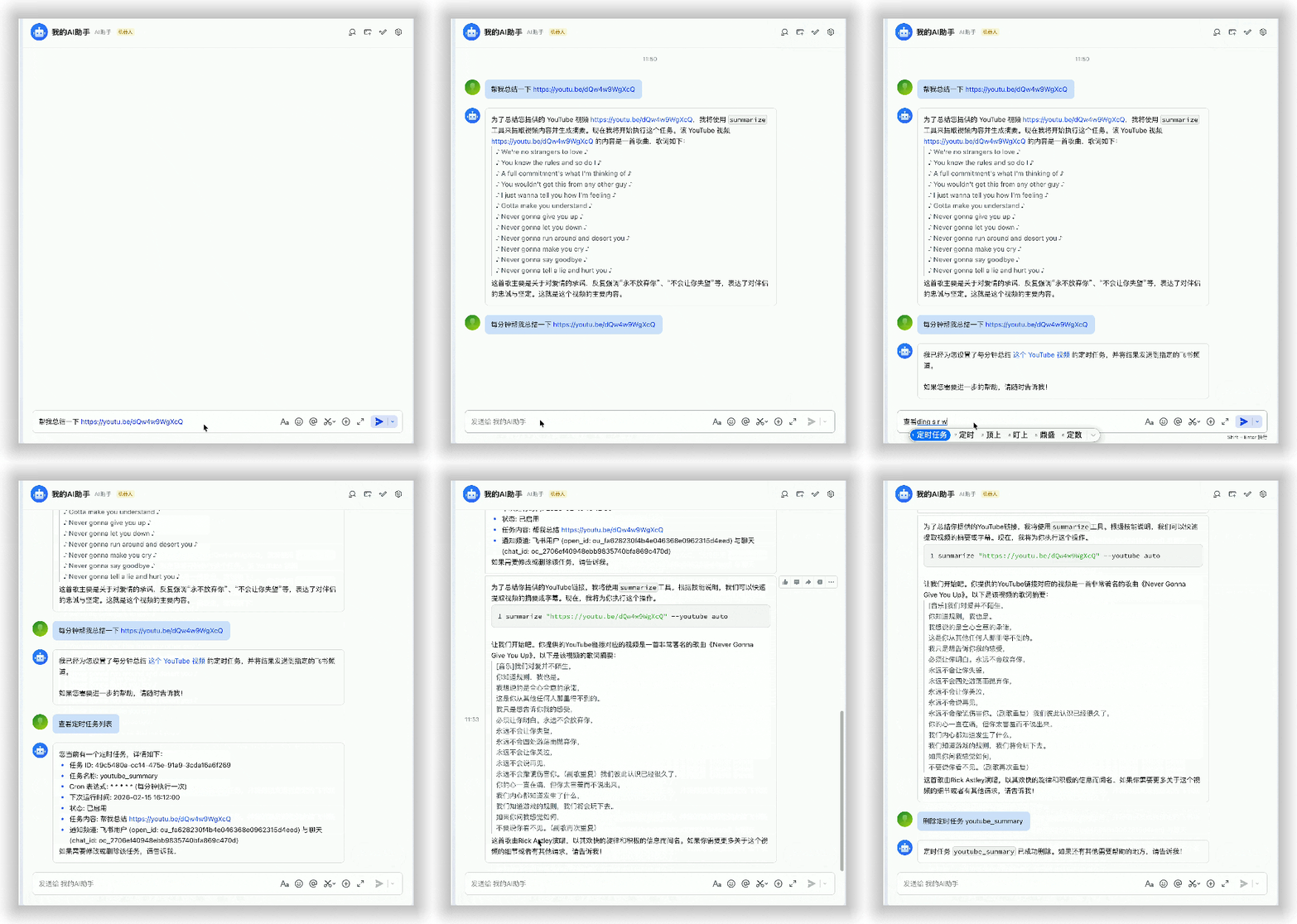
Chat
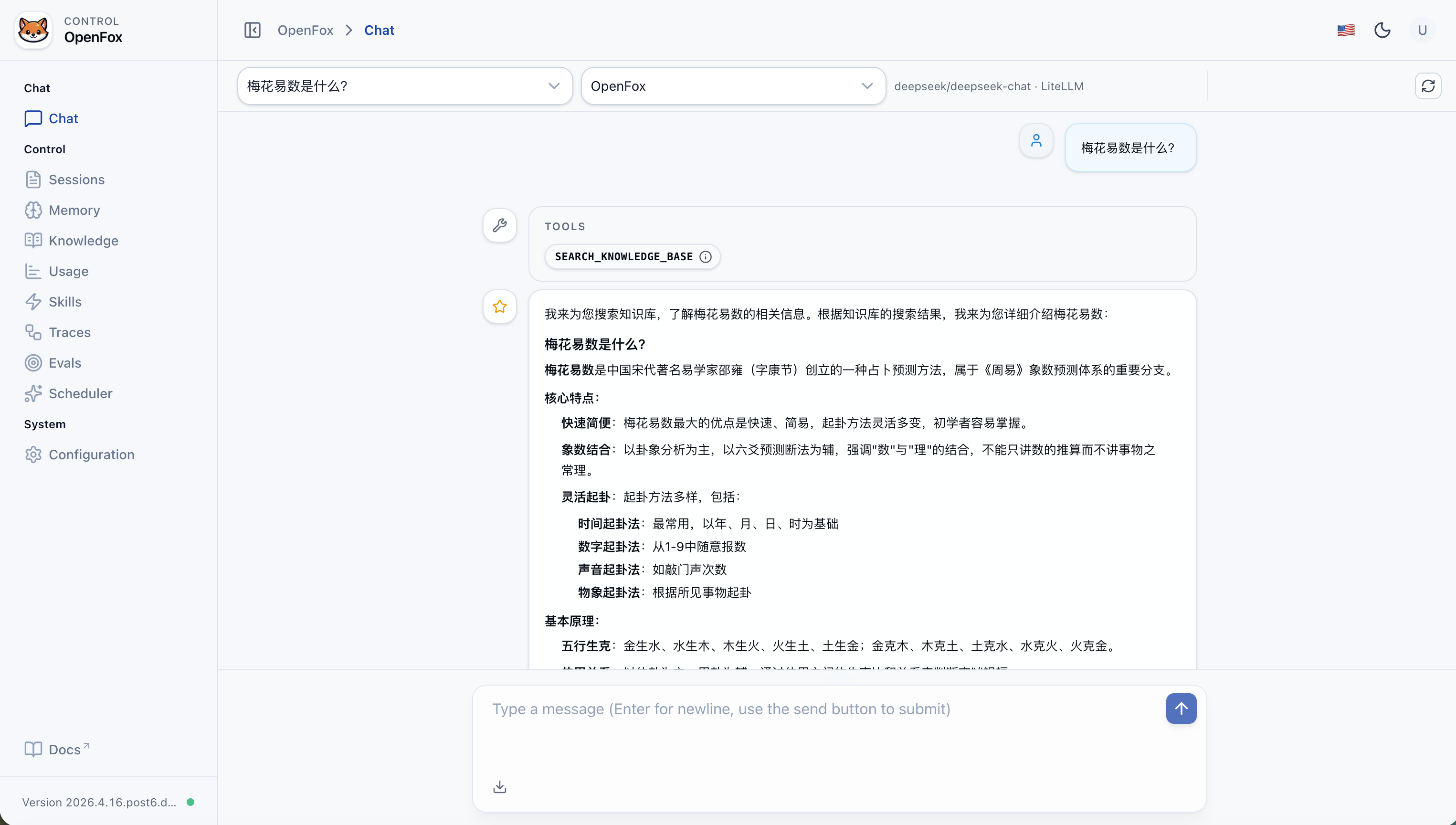
Sessions
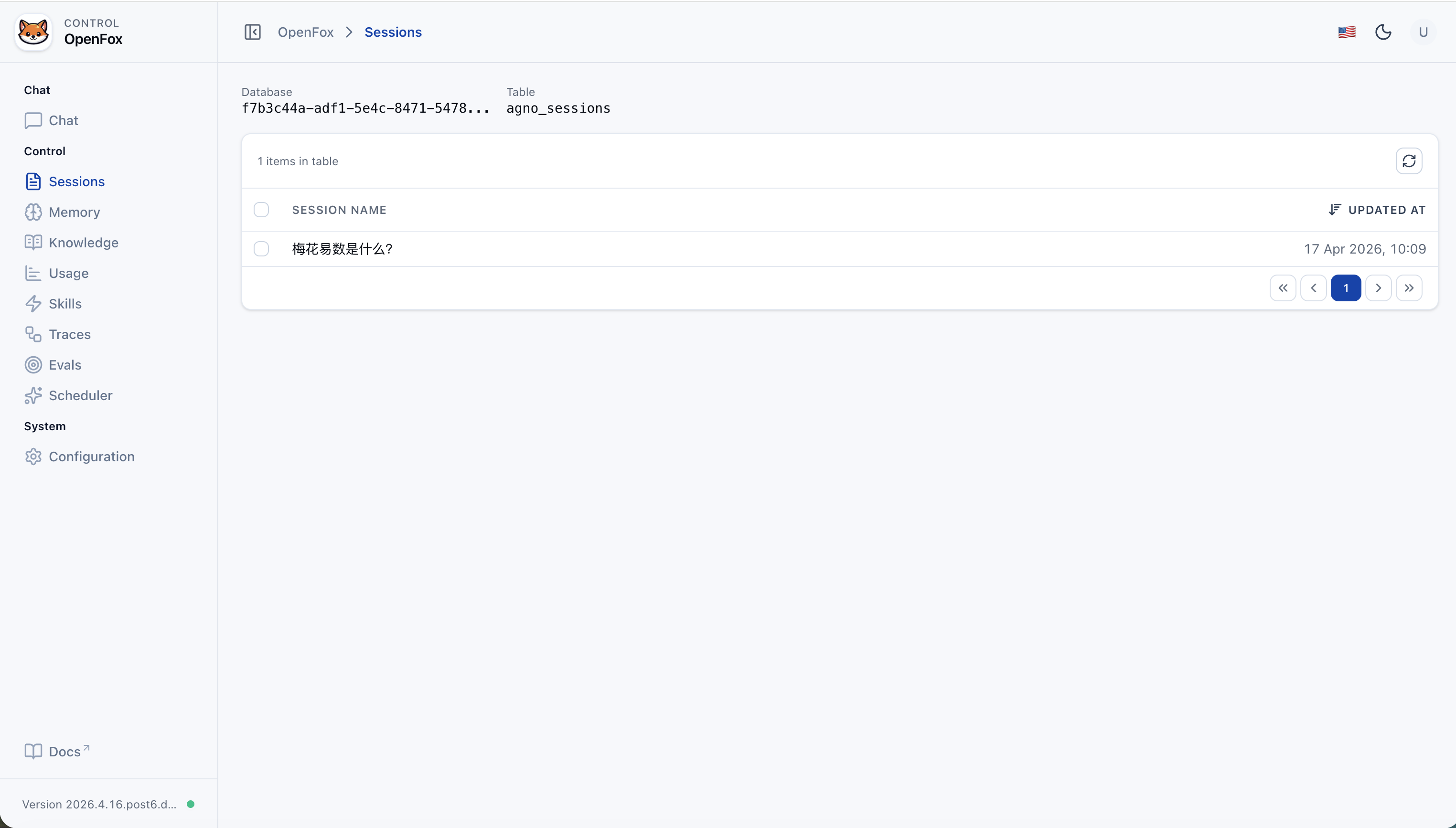
Memory
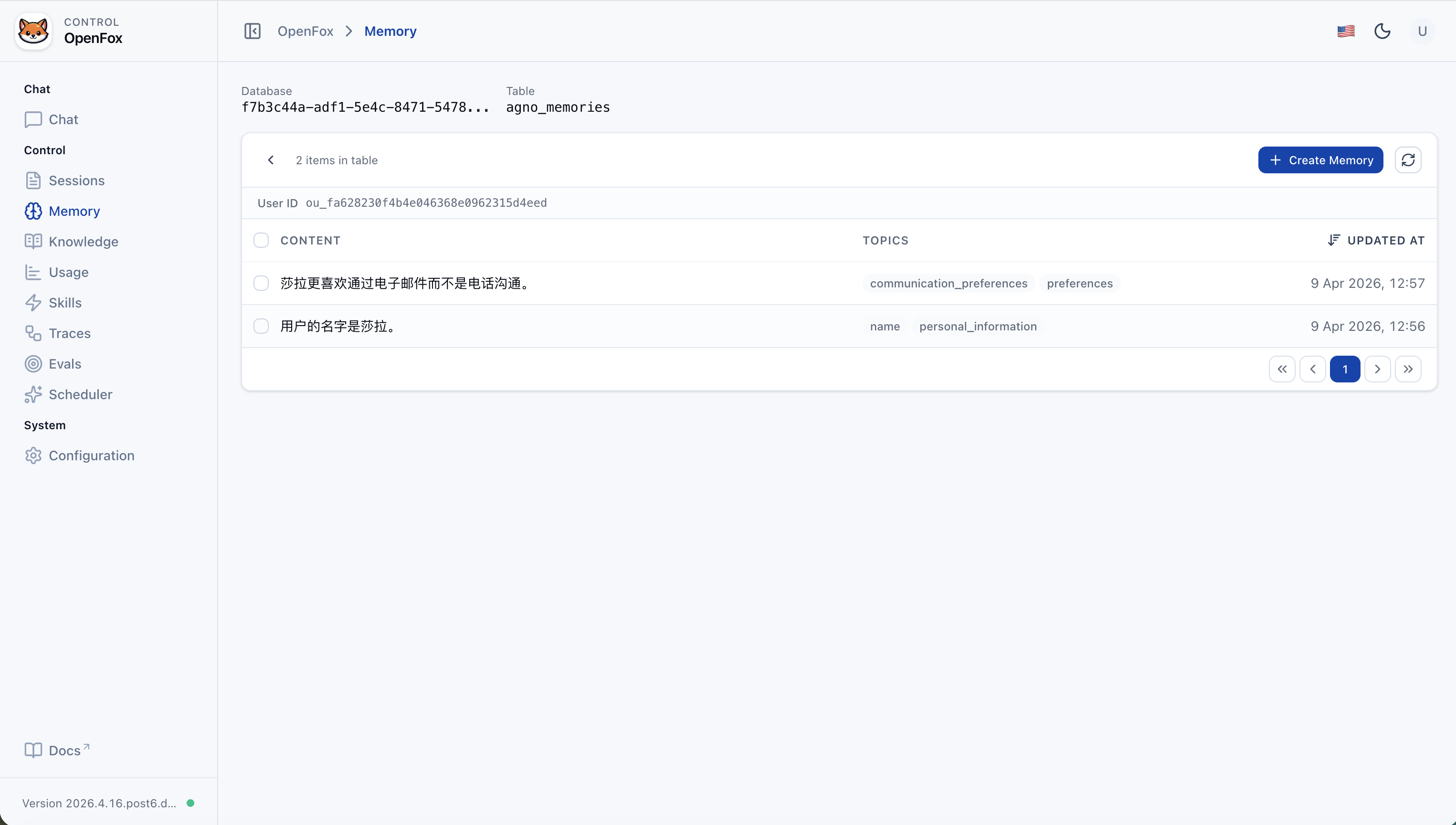
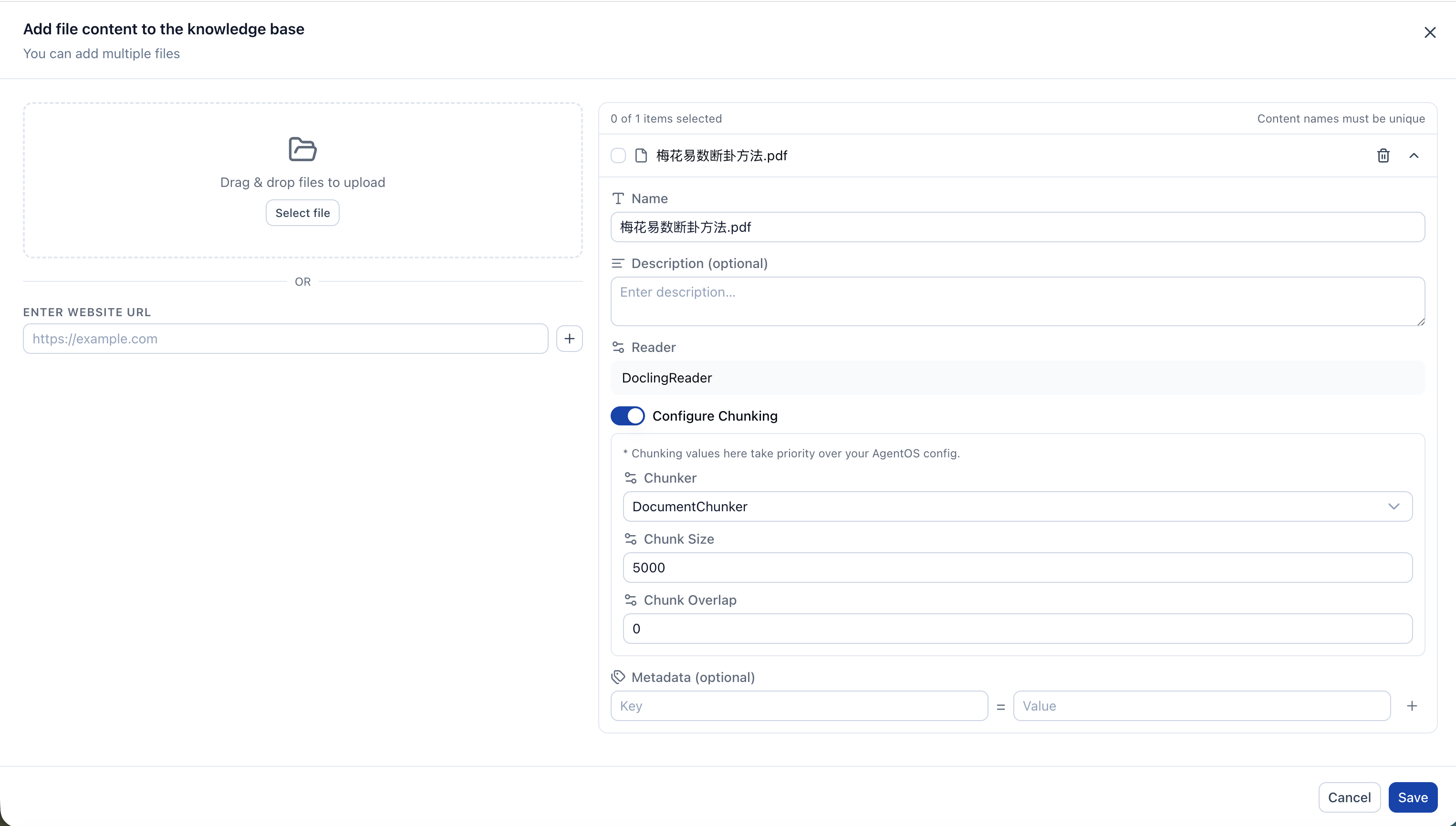
Knowledge (Add content)
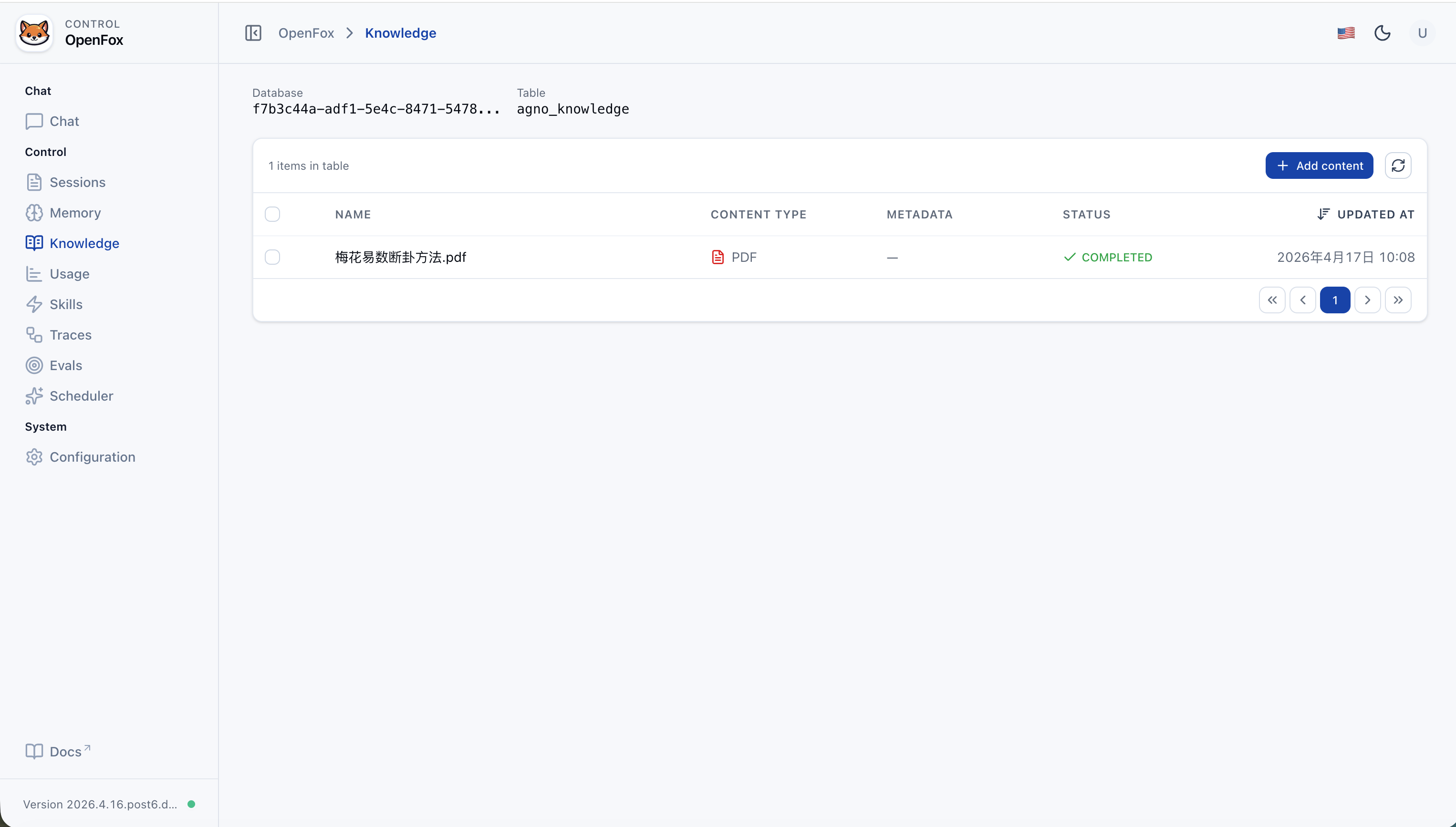
Knowledge (List)
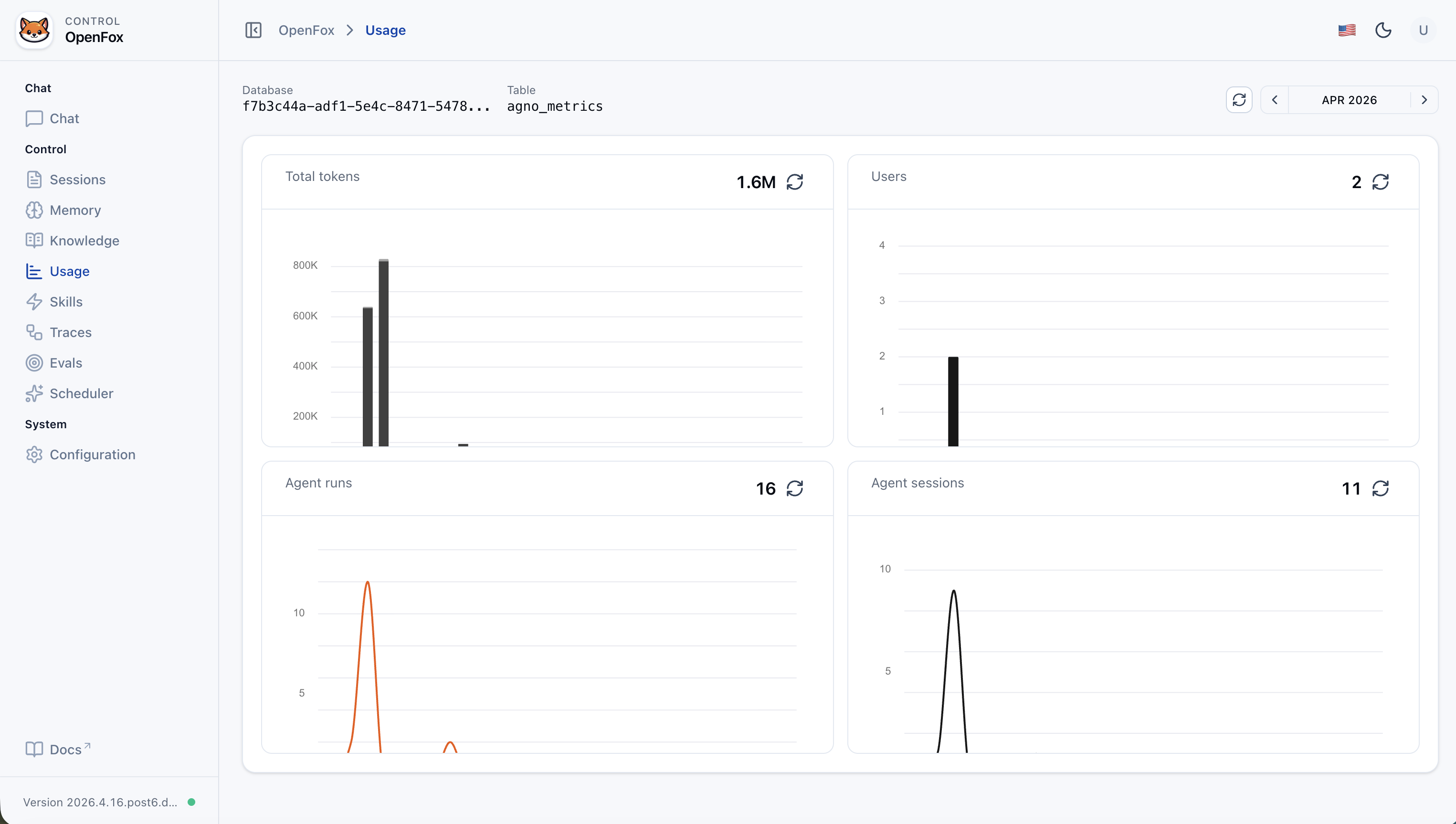
Usage
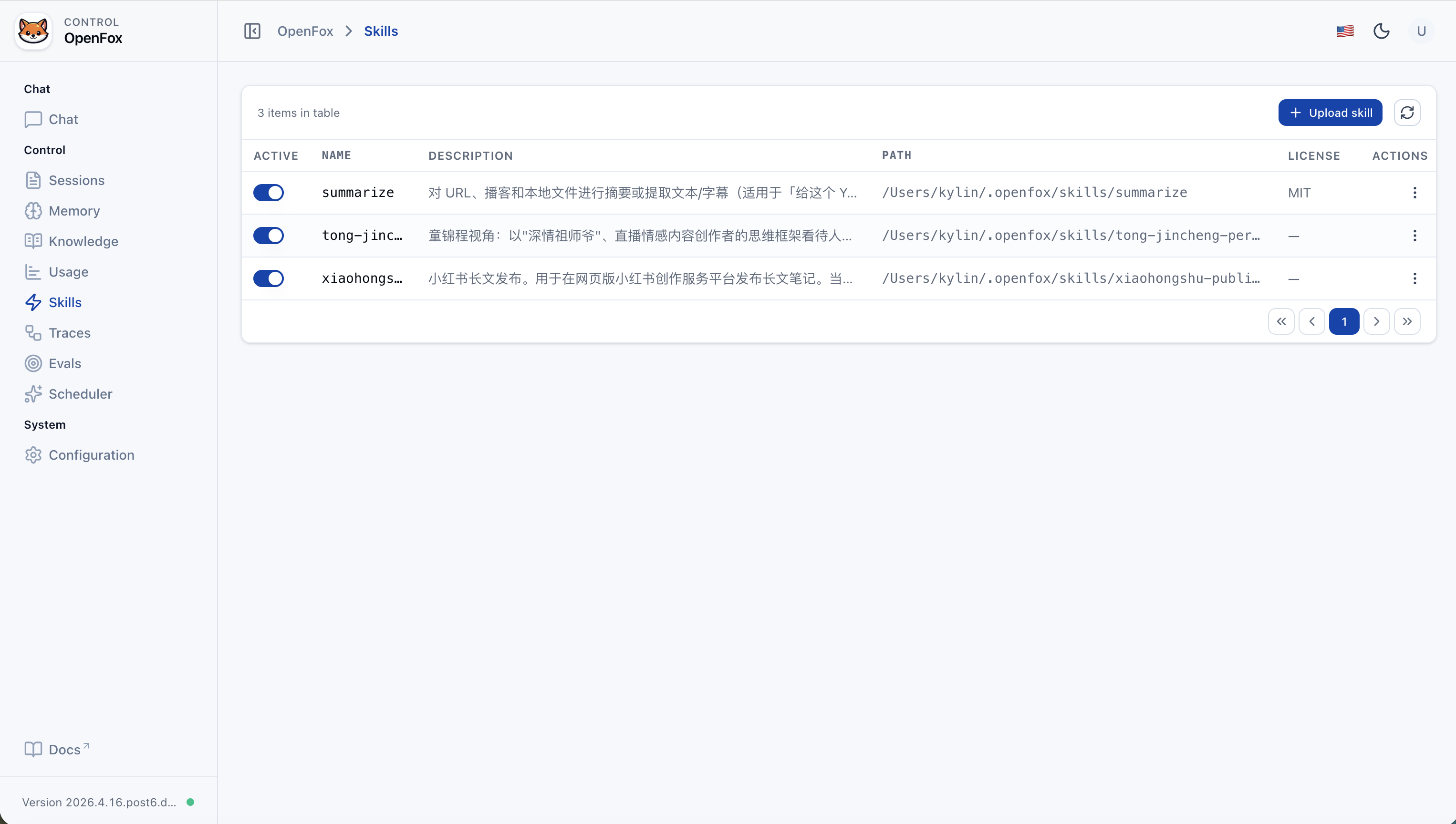
Skills
Traces (Runs)
Trace Detail
Evals (List)
Eval Detail
Scheduler (List)
Scheduler (Details)
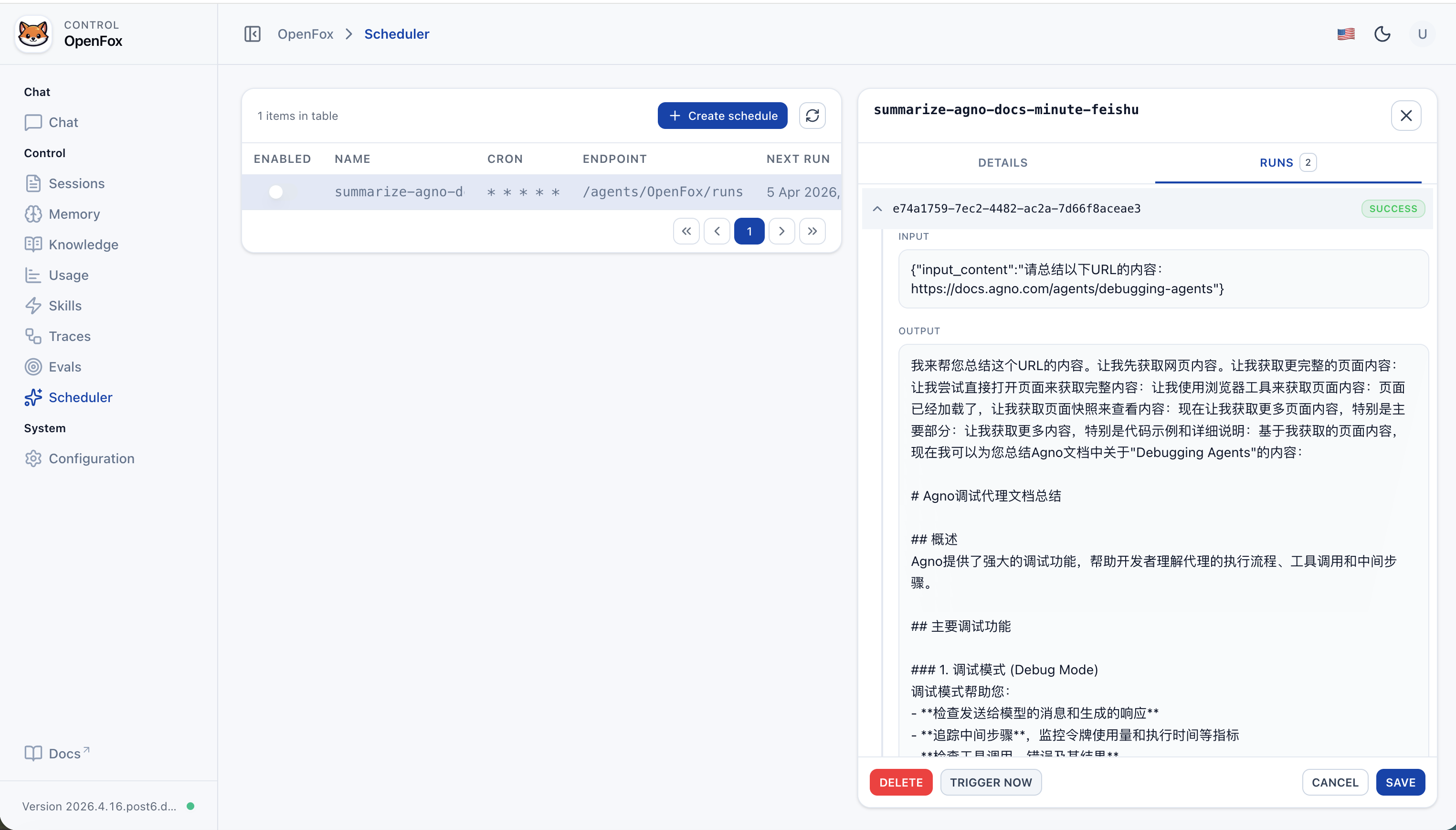
Scheduler (Run History)
Configuration
| Aspect | OpenClaw | OpenFox |
|---|---|---|
| Stack | Node / TypeScript | Python, Agno, FastAPI |
| Channels | Many IM platforms | Feishu + optional WeChat iLink (WxClaw) |
| Extensions | Browser, Canvas, Cron, etc. | Cron, Shell, browser (Playwright), MCP, local Skills |
| Focus | Cross-platform personal assistant | Enterprise-grade self-hosted AI assistant, bilingual-friendly, with an integrated Web control plane |
Stars help us keep improving.
When joining, say you’re here for openfox:

{
  // Agent identity
  "agent_id": "OpenFox",
  "docs_enabled": true,
  "os_security_key": "<os_security_key>",
  // Browser / API origins (update if you change the listen port)
  "cors_origin_list": [
    "http://127.0.0.1:7777",
    "http://localhost:7777"
  ],
  "time_zone": "Asia/Shanghai",
  // Enable RAG / knowledge search
  "search_knowledge": true,
  // Main chat model (LiteLLM)
  "llm": {
    "model_name": "deepseek/deepseek-chat",
    "api_base": "https://api.deepseek.com",
    "api_key": "<llm_api_key>"
  },
  // Channel integrations (Feishu + optional WeChat iLink)
  "channels": {
    "feishu": {
      "activate": true,
      "app_id": "<feishu_app_id>",
      "app_secret": "<feishu_app_secret>"
    },
    "wxclaw": {
      "activate": false
    }
  },
  // MCP servers: each entry is stdio (command+args) or HTTP (url+headers)
  "mcps": [
    {
      // Display name
      "name": "weibo",
      // stdio: uvx --from Git runs the MCP without a prior install
      "command": "uvx",
      "args": [
        "--from",
        "git+https://github.com/InfernalAzazel/mcp-server-weibo.git",
        "mcp-server-weibo"
      ],
      "env": {},
      // stdio: leave url empty
      "url": "",
      "headers": {},
      "tool_timeout": 60
    },
    {
      "name": "chrome-devtools",
      // stdio: npx runs a published Node MCP package
      "command": "npx",
      "args": ["chrome-devtools-mcp@latest"],
      "env": {},
      "url": "",
      "headers": {},
      "tool_timeout": 60
    }
  ],
  // RAG: Chroma + embedder + reranker
  "knowledge": {
    "vector_db": {
      "collection": "docs",
      "name": "OpenFox Knowledge",
      "description": "OpenFox Knowledge",
      "id": null,
      "distance": "cosine",
      "persistent_client": true,
      "search_type": "hybrid",
      "hybrid_rrf_k": 60,
      "batch_size": null,
      "reranker_enabled": true,
      "embedder": {
        "id": "openai/text-embedding-v4",
        "api_key": "<embedder_api_key>",
        "api_base": "https://dashscope.aliyuncs.com/compatible-mode/v1",
        "request_params": {
          "encoding_format": "float"
        },
        "enable_batch": false,
        "batch_size": 20
      },
      "reranker": {
        "model": "dashscope/qwen3-rerank",
        "api_key": "<reranker_api_key>",
        "api_base": "https://dashscope.aliyuncs.com/compatible-api/v1/reranks",
        "top_n": null,
        "request_params": null
      }
    },
    "max_results": 10,
    "isolate_vector_search": false
  },
  // Toolkit toggles and options
  "tools": {
    "mcp": {
      "include_tools": null,
      "exclude_tools": null,
      "activate": true
    },
    "scheduler": {
      "include_tools": null,
      "exclude_tools": null,
      "activate": true
    },
    "shell": {
      "include_tools": null,
      "exclude_tools": null,
      "activate": true,
      "base_dir": null,
      "enable_run_shell_command": true,
      "all": false
    },
    "websearch": {
      "include_tools": null,
      "exclude_tools": null,
      "activate": true,
      "enable_search": true,
      "enable_news": true,
      "backend": "auto",
      "modifier": null,
      "fixed_max_results": null,
      "proxy": null,
      "timeout": 10,
      "verify_ssl": true,
      "timelimit": null,
      "region": null
    },
    "arxiv": {
      "include_tools": null,
      "exclude_tools": null,
      "activate": true,
      "enable_search_arxiv": true,
      "enable_read_arxiv_papers": true,
      "download_dir": null
    },
    "hackernews": {
      "include_tools": null,
      "exclude_tools": null,
      "activate": true,
      "enable_get_top_stories": true,
      "enable_get_user_details": true,
      "all": false
    },
    "pubmed": {
      "include_tools": null,
      "exclude_tools": null,
      "activate": true,
      "email": "your_email@example.com",
      "max_results": null,
      "enable_search_pubmed": true,
      "all": false
    },
    "wikipedia": {
      "include_tools": null,
      "exclude_tools": null,
      "activate": true
    },
    "crawl4ai": {
      "include_tools": null,
      "exclude_tools": null,
      "activate": true,
      "max_length": 1000,
      "timeout": 60,
      "use_pruning": false,
      "pruning_threshold": 0.48,
      "bm25_threshold": 1.0,
      "headless": true,
      "wait_until": "domcontentloaded",
      "enable_crawl": true,
      "all": false
    },
    "calculator": {
      "include_tools": null,
      "exclude_tools": null,
      "activate": true
    },
    "docker": {
      "include_tools": null,
      "exclude_tools": null,
      "activate": false
    },
    "youtube": {
      "include_tools": null,
      "exclude_tools": null,
      "activate": true,
      "get_video_captions": true,
      "get_video_data": true,
      "languages": null,
      "enable_get_video_captions": true,
      "enable_get_video_data": true,
      "enable_get_video_timestamps": true,
      "all": false
    },
    "webbrowser": {
      "include_tools": null,
      "exclude_tools": null,
      "activate": true,
      "enable_open_page": true,
      "all": false
    }
  }
}