A lightweight cross-platform music streaming client for Navidrome and Subsonic-compatible servers, built with Rust and Dioxus, < 15mb
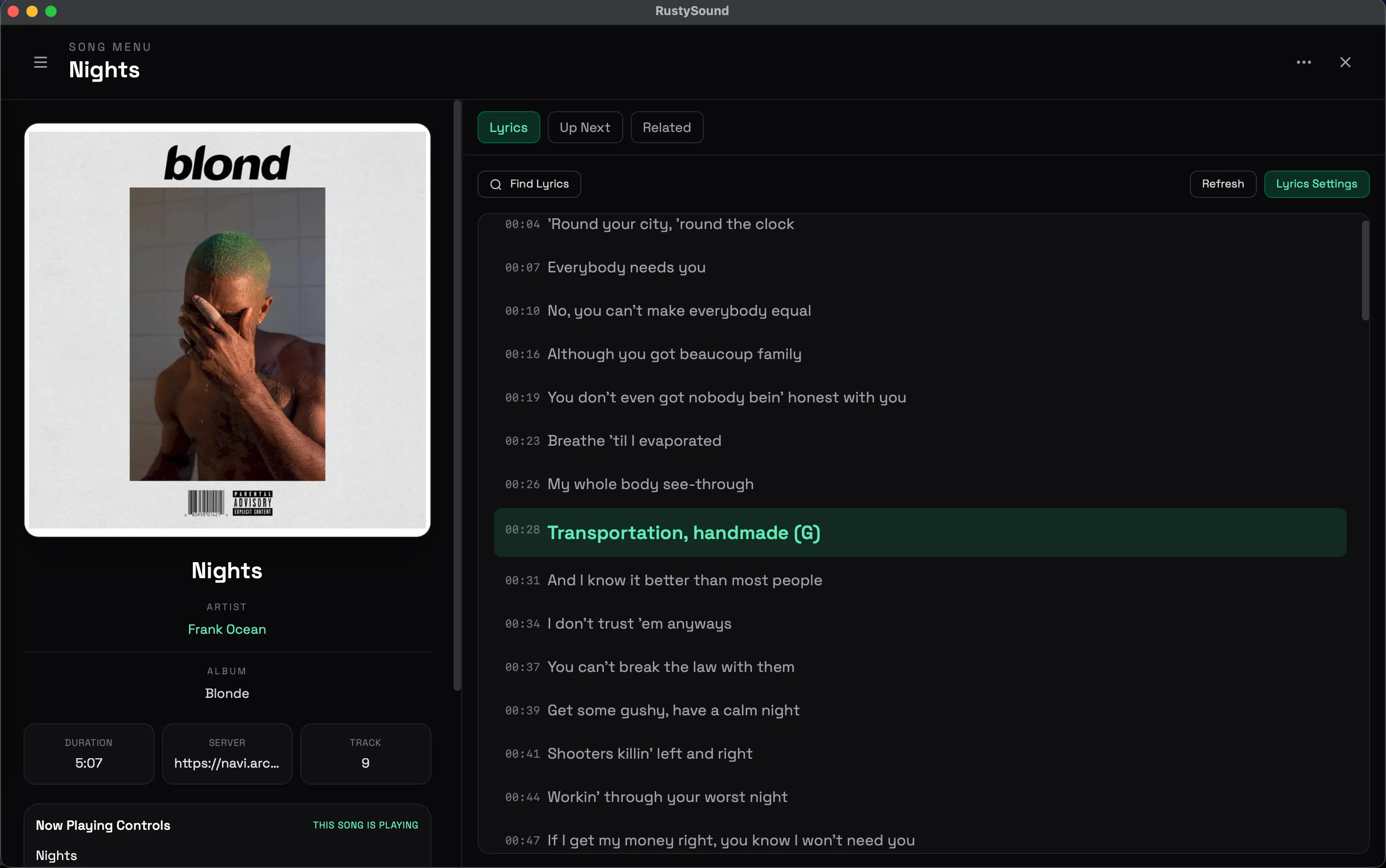
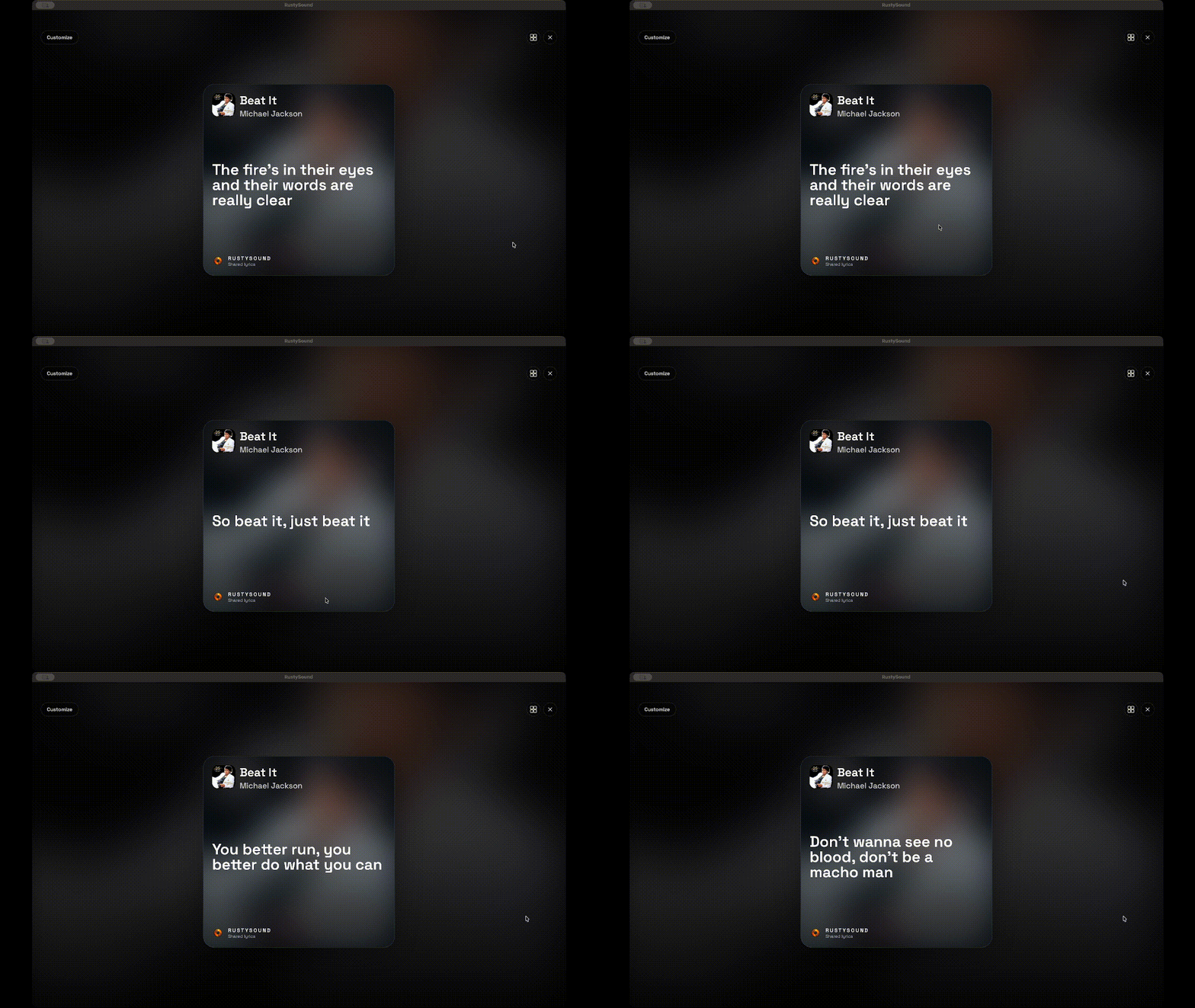
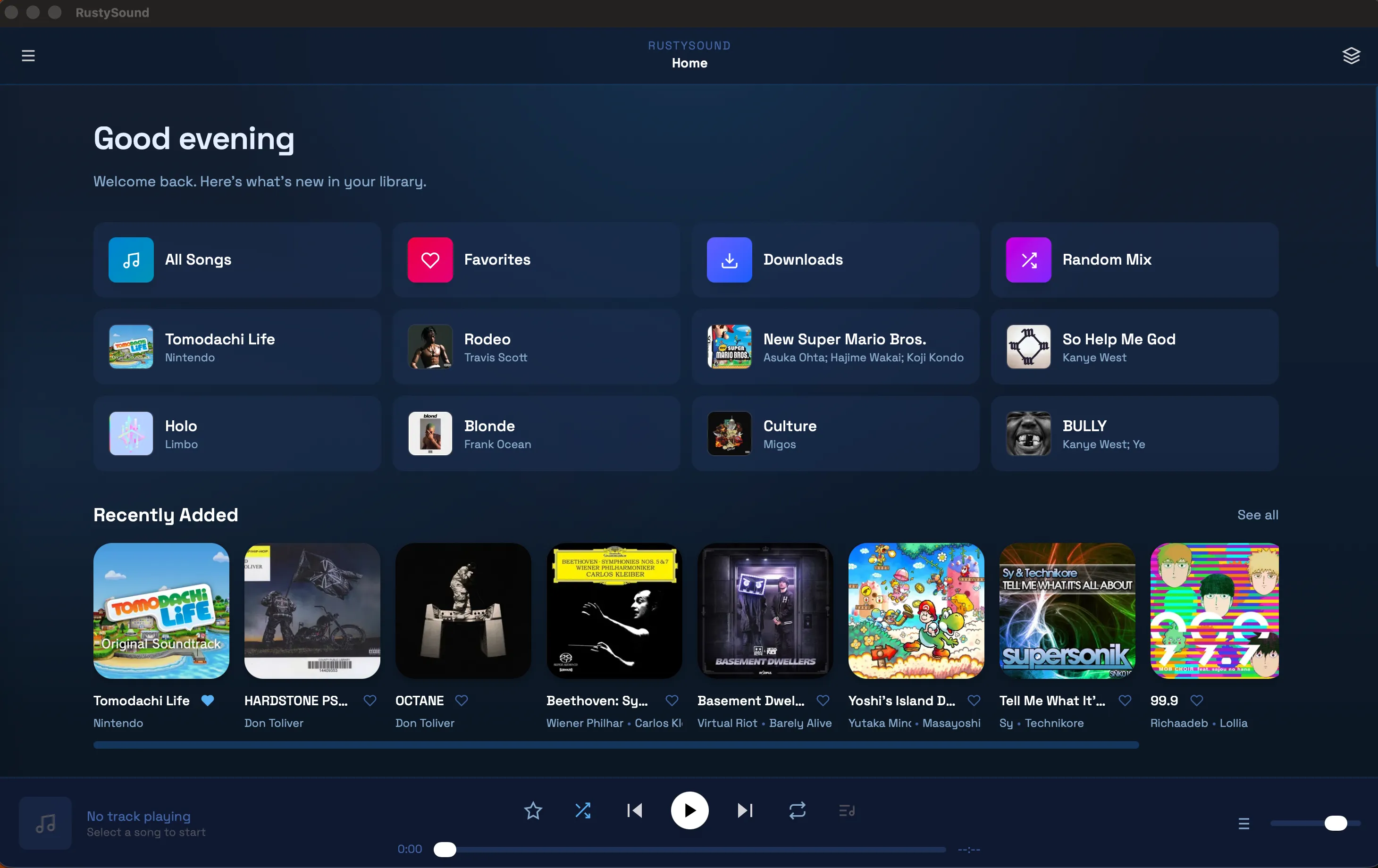
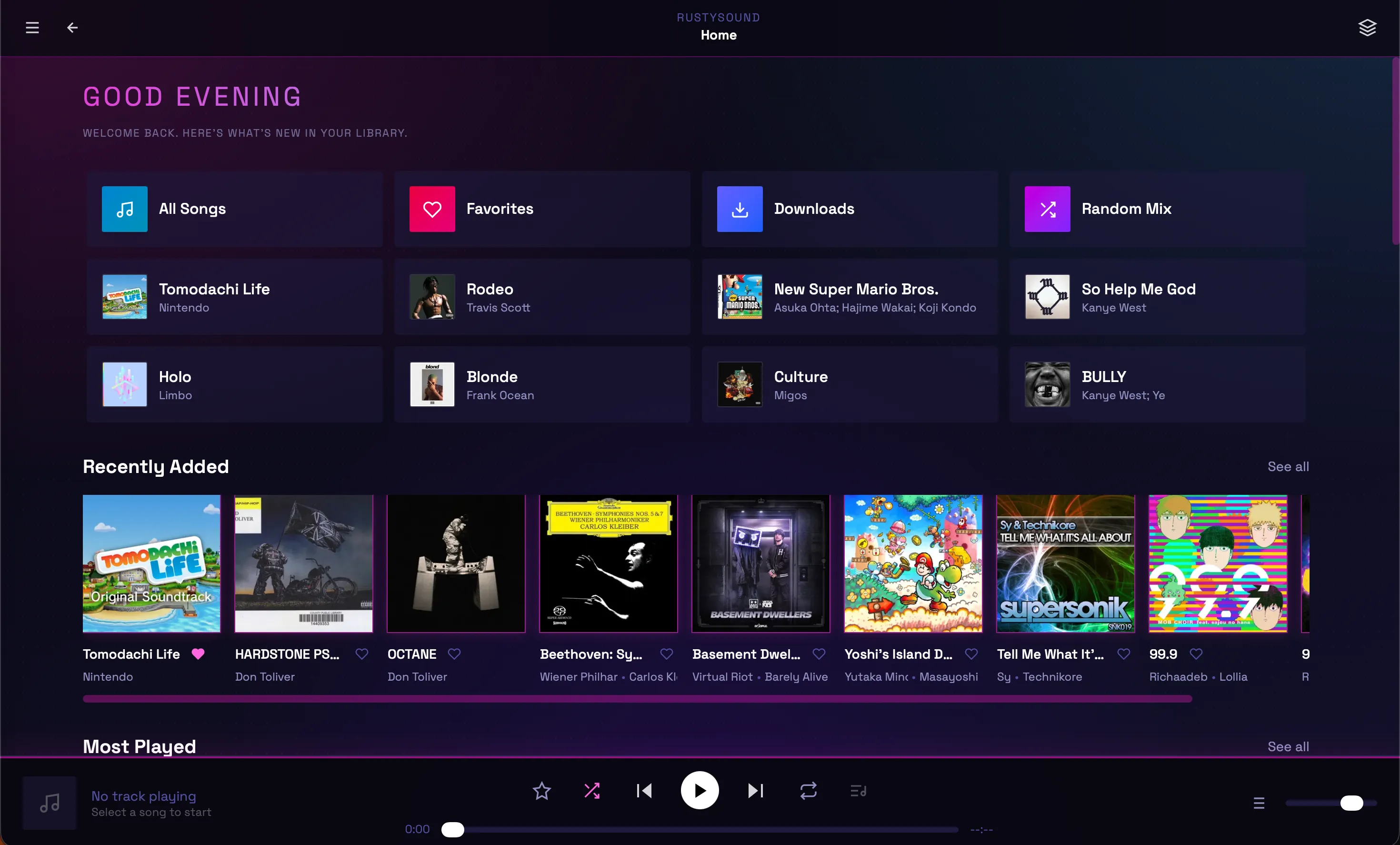
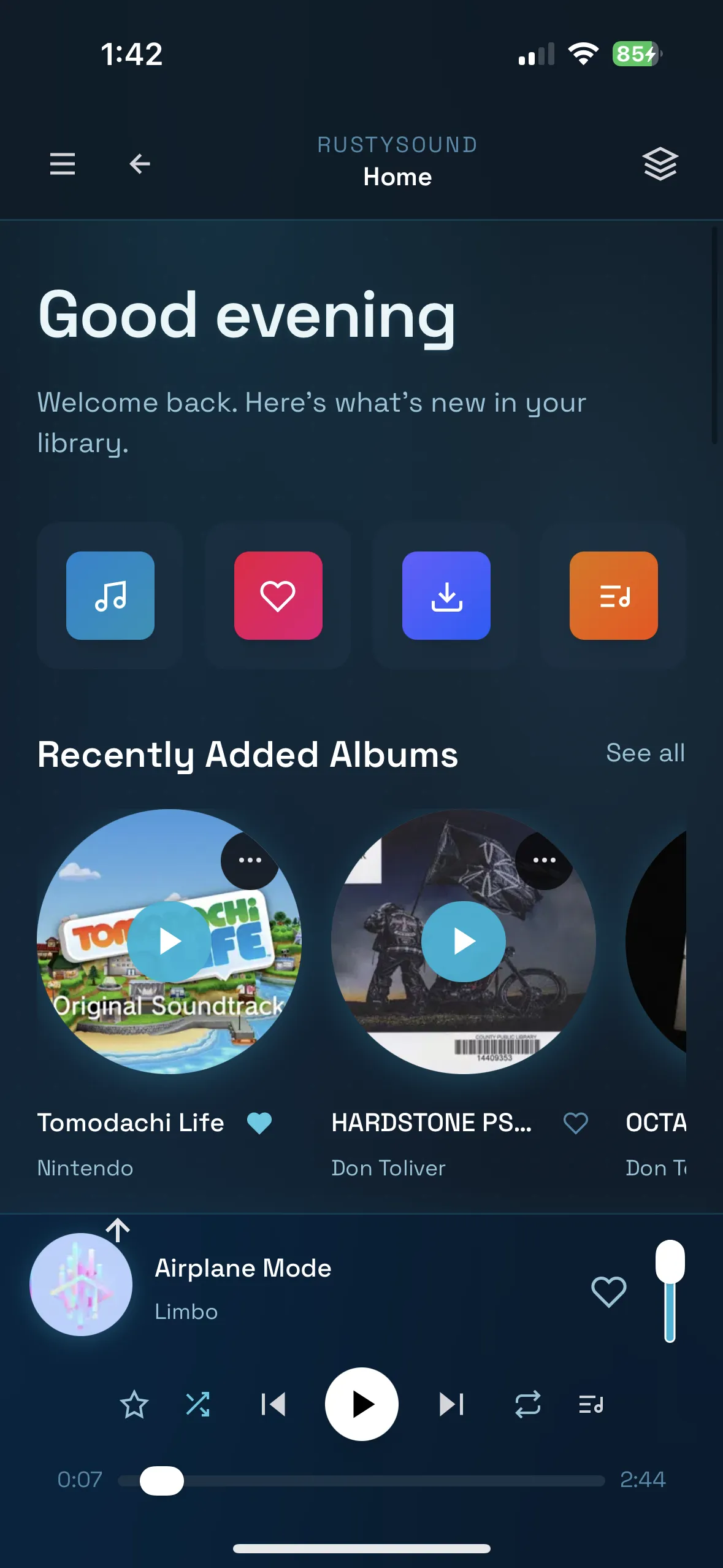

- Multi-platform: Desktop (macOS, Windows, Linux), Mobile (iOS, Android), and Web
- Audio streaming: High-quality playback with queue management
- Server integration: Connect to Navidrome and Subsonic-compatible servers
- Offline support: Local storage, downloads, persistent settings and playback state
- Playlist management: Create and organize playlists
- Browse and search: Find music by artist, album, or track
- Full controls: Play, pause, skip, shuffle, repeat, and more
- Modern UI: Clean, responsive Tailwind CSS interface
- Customizable themes: Multiple built-in themes with CSS overrides
| Platform | Installation |
|---|---|
| iOS | AltStore (recommended), manual sideloading, or source feed |
| Android | APK from Releases |
| macOS | Homebrew, DMG installer |
| Windows | Scoop, standalone EXE |
| Linux | Flatpak |
| Web | Browser + PWA, Docker |
Note: Android is feature-aligned but not under active day-to-day development and may have platform-specific issues.
This is the easiest way to install and keep RustySound updated on iOS.

Or manually add https://ad-archer.github.io/packages/source.json as a source in:
- AltStore or AltServer for Mac/Windows
- LiveContainer on iOS
- Download the latest
.ipafile from Releases - Use AltStore, Sideloadly, or Xcode to install
- Download the latest
.apkfile from Releases - Enable "Installation from unknown sources" in Settings
- Install the APK and launch RustySound
brew tap ad-archer/homebrew-tap
brew install --cask rustysound
To update:
brew upgrade rustysound- Download the latest
.dmgfile from Releases - Open the DMG and drag RustySound to your Applications folder
Troubleshooting: If macOS says the app is damaged or won't open:
# Option 1: Right-click in Finder and choose Open, then confirm
# Option 2: Run this command
xattr -dr com.apple.quarantine /Applications/RustySound.app
open /Applications/RustySound.appscoop bucket add ad-archer https://github.com/ad-archer/scoop
scoop install ad-archer/rustysound- Download the latest
.exefile from Releases - Open the exe and install RustySound
Note: Antivirus may flag the installer since it is not verified by Windows. This is safe to ignore for builds from the official repository.
flatpak remote-add --if-not-exists --user adarcher-rustysound https://ad-archer.github.io/packages/rustysound.flatpakrepo
flatpak install --user adarcher-rustysound app.adarcher.rustysound//stable
flatpak run app.adarcher.rustysound
To update:
flatpak install --user adarcher-rustysound app.adarcher.rustysound//stableTo remove:
flatpak uninstall --user app.adarcher.rustysound
flatpak remote-delete --user adarcher-rustysound
Troubleshooting — missing GNOME runtime
If you see an error like:
error: The application app.adarcher.rustysound/x86_64/master requires the runtime org.gnome.Platform/x86_64/49 which was not found
Install the runtime from Flathub:
# Add Flathub (if not already present)
flatpak remote-add --if-not-exists flathub https://flathub.org/repo/flathub.flatpakrepo

# Install the GNOME 49 runtime
flatpak install --user flathub org.gnome.Platform//49

# Reinstall the app
flatpak install --user adarcher-rustysound app.adarcher.rustysound//stable
For system-wide install, omit --user from the commands.
Visit rustysound to try the web version.
- Ensure you have Docker and Docker Compose installed
- Clone this repository or copy
docker-compose.yml - Run:
docker-compose up -dThe web interface will be available at http://localhost:8080.
To stop:
docker-compose downdocker run -d -p 8080:80 --name rustysound ghcr.io/ad-archer/rustysound:latest- Rust 1.70+ (install here)
- Dioxus CLI:
curl -sSL https://dioxus.dev/install.sh | sh
- Clone the repository:
git clone https://github.com/AD-Archer/RustySound.git
cd RustySound- Install dependencies:
cargo builddx serve --platform webdx serve --platform desktop./scripts/serve-ios.shYou can pass dx serve options:
./scripts/serve-ios.sh --device "iPhone 16 Pro"dx serve --platform android
# or with auto-setup (NixOS):
just serve-androidUse just for common tasks:
just              # list all recipes
just serve        # dx serve (web)
just serve-ios    # iOS simulator dev (safe linker env)
just serve-android # Android dev/debug (auto-create/start emulator)
just check        # cargo check
just bundle       # macOS + iOS + unsigned IPA
just bundle-android-release # Android release APKdx bundle --platform desktop --releasedx bundle --platform ios --releaseOr use the Apple bundling script:
./scripts/bundle-apple.shOutputs:
- macOS
.app:dist/apple/macos - iOS
.app:dist/apple/ios - Unsigned iOS
.ipa:dist/apple/ios/*-unsigned.ipa
To build for simulator:
IOS_TARGET=aarch64-apple-ios-sim ./scripts/bundle-apple.shIf your shell exports compiler flags (e.g., LDFLAGS), use the script to avoid linking issues.
Customize the icon and app name:
APP_NAME="RustySound" IOS_ICON_SOURCE="/absolute/path/to/icon-1024.png" ./scripts/bundle-apple.sh./scripts/bundle-android.sh
# or
just bundle-android-releaseThis exports release .apk to dist/android.
Optional signing environment variables:
ANDROID_KEYSTORE_BASE64orANDROID_KEYSTORE_PATHANDROID_KEYSTORE_PASSWORDANDROID_KEY_ALIASANDROID_KEY_PASSWORD(optional)
rustysound/
├── assets/                 # Static assets (icons, styles, etc.)
├── src/
│   ├── main.rs            # Application entry point
│   ├── components/        # Reusable UI components
│   │   ├── app.rs         # Main app component
│   │   ├── player.rs      # Audio player controls
│   │   ├── sidebar.rs     # Navigation sidebar
│   │   └── views/         # Page components
│   │       ├── home.rs    # Home/dashboard
│   │       ├── albums.rs  # Album browser
│   │       ├── artists.rs # Artist browser
│   │       ├── queue.rs   # Playback queue
│   │       └── settings.rs # App settings
│   ├── api/               # Server API integration
│   ├── db/                # Local database/storage
│   └── components.rs      # Component exports
├── Cargo.toml             # Rust dependencies
├── Dioxus.toml           # Dioxus configuration
└── tailwind.css          # Tailwind CSS styles
- Fork the repository
- Create a feature branch:
git checkout -b feature/your-feature - Make your changes and test thoroughly
- Submit a pull request
- Follow Rust best practices
- Use Dioxus component patterns
- Test on multiple platforms when possible
- Update documentation for new features
Licensed under the GNU General Public License v3.0 (GPL-3.0-or-later).
See LICENSE for full terms.
- Built with Dioxus - A Rust UI framework
- Audio playback powered by Web Audio API and native platform APIs
- Icons and UI design inspired by modern music streaming applications


