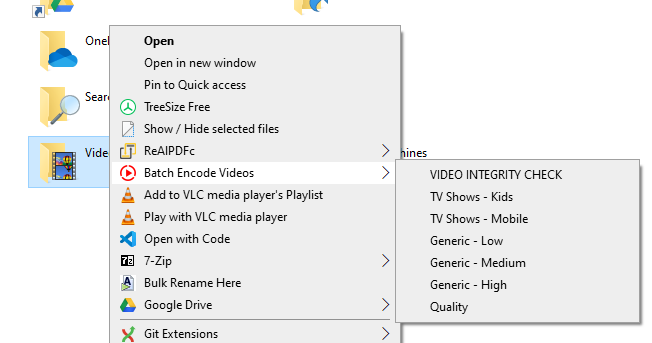
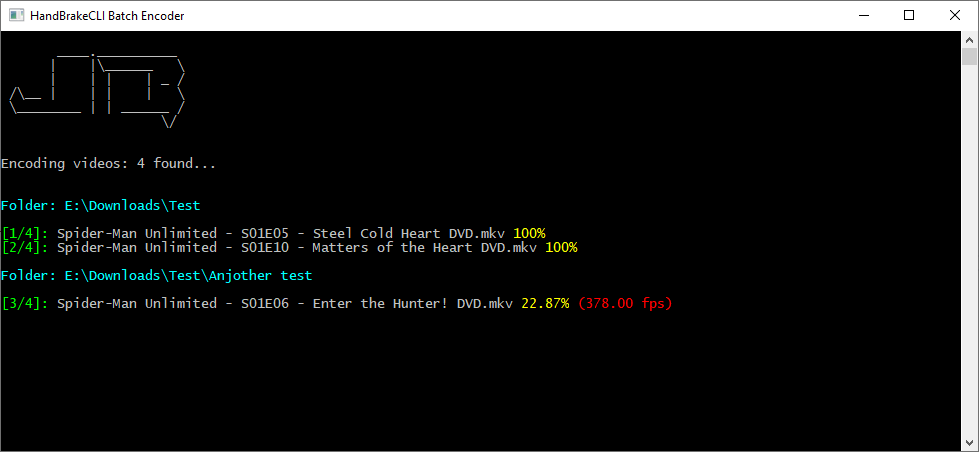
This is a very simple console application written in C# that allows batch encoding of videos from accessible from the Windows Shell Context menu on folders:
- Download and install HandBrake: HandBrake UI
- Download HandBrake CLI (command line utility) HandBrakeCLI
- Extract HandBrakeCLI zip and place in folder: "C:\Utilities\HandBrakeCLI"
- From the 'dist' folder of this project, copy the file "BatchEncode.exe" to above folder
- From the "Context Menu Setup" of this project, edit the "SetupContextMenu.reg" file (using notepad or another text editor):
You'll need to be somewhat familiar writing registry files. Here you set your presets (that you export from HandBrake UI)
- Run the "SetupContextMenu.reg" file to import into the registry. You'll then be able to right click on a folder in Windows and select a preset. The batch program will then look for any video files and start the batch job.
Feel free to continue development on this and push back here.