A powerful web agent visualization tool that helps you understand and analyze web automation processes through visual tree search.
Disclaimer: Please note that VisualTreeSearch is not affiliated with any for-profit company. This is a collaborative project from PathOnAI.org, an open-source AI research community, where Danqing Zhang (danqing.zhang.personal@gmail.com) is the main contributor and lead author of the ECML-PKDD paper. If anyone claims VisualTreeSearch is affiliated with any for-profit company, please contact Danqing Zhang (danqing.zhang.personal@gmail.com) for verification.
- 06/16/2025 - "VisualTreeSearch: Understanding Web Agent Test-time Scaling" was accepted by ECML-PKDD 2025.
- 04/28/2025 - Released this Open Source Repo: visual tree search.
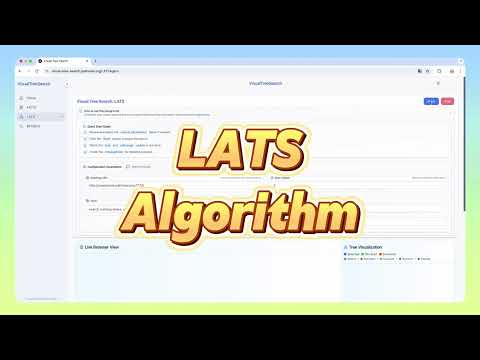
Visit our live demo at: visual-tree-search.pathonai.org
- Interactive visualization of web agent actions
- Real-time tree search visualization
- Modern and responsive UI
- Comprehensive web automation analysis
- Framework: NextJS 14
- Styling: TailwindCSS
- UI Components: Shadcn UI
- Deployment: Vercel
- Framework: FastAPI
- Deployment: AWS ECS
- Framework: FastAPI
- Deployment: AWS ECS
- Browser Engine: Chromium (via Playwright)
- Framework: FastAPI
- Deployment: AWS EC2
- Database Access: SQLAlchemy ORM connecting to MariaDB (using MySQL-compatible interface)
- Node.js (Latest LTS version)
- Python 3.8+
- npm or yarn
- Git
- Clone the repository
git clone https://github.com/PathOnAI/VisualTreeSearch-Demo.git
cd VisualTreeSearch-Demo- Backend Setup
# Navigate to backend directory
cd visual-tree-search-backend

# Create and activate virtual environment (recommended)
python -m venv venv
source venv/bin/activate  # On Windows use: venv\Scripts\activate

# Install dependencies
pip install -r requirements.txt
pip install uvicorn[standard] # Install uvicorn with standard extras- Frontend Setup
# Navigate to frontend directory
cd ../visual-tree-search-app

# Install dependencies
npm install

# Create .env file
echo "NEXT_PUBLIC_BACKEND_URL=http://127.0.0.1:3000" > .env- Navigate to backend directory:
cd visual-tree-search-backend- Activate virtual environment (if not already activated):
source venv/bin/activate # On Windows use: venv\Scripts\activate- Run the FastAPI server:
uvicorn app.main:app --host 0.0.0.0 --port 3000 --reloadNote: The --reload flag enables auto-reload when code changes are detected. Remove it in production.
- Open a new terminal and navigate to frontend directory:
cd visual-tree-search-app- Start the development server:
npm run dev -- -p 3001The application should now be running at:
- Frontend: http://localhost:3001
- Backend: http://localhost:3000
VisualTreeSearch-Demo/
├── visual-tree-search-app/        # Frontend application
│   ├── src/                      # Source code
│   ├── public/                   # Static files
│   └── package.json             # Frontend dependencies
├── visual-tree-search-backend/    # Backend API service
│   ├── app/                     # Backend source code
│   ├── requirements.txt         # Backend dependencies
│   └── test/                    # Test files
├── visual-tree-search-browser-service/  # Browser automation service
└── visual-tree-search-state-reset/     # State management service